Most solo firms don’t lose callers because the handset is outdated. They lose them because nobody owns the number already printed on the website, the listing, and the referral card. The American Bar Association’s 2024 Legal Technology Survey Report found that 55.4% of solo firms reported they did not have a technology budget, while 94.1% of firms with 50–99 lawyers did. Buying another line feels like a fix. For most practices it isn’t. The published number is the client-facing asset, and the decision that matters is who controls it and where it routes.
I would keep the number clients already dial, then add a line only when a second office, a campaign, or a short pilot needs its own measure.
When to Keep Your Published Number or Add a Line
For most firms the published number stays. A separate line is justified only for a distinct office, campaign measurement, or a controlled pilot. Clients, directories, and referral partners already know that number. Replacing it forces every listing and every old business card to catch up, and some of them never will.
You can move the number you already have. U.S. customers can retain an existing number when changing providers. The FCC guide to porting your phone number says porting works between wireline, internet-protocol, and wireless providers when you remain in the same geographic area. Start the port through the new provider, and don’t cancel the old service first. Simple ports generally must be completed within one business day. Providers may charge a porting fee, and the old contract can still impose early-termination fees or an outstanding balance.
If you’re comparing how a growing team handles lines, forwarding, and shared inboxes, this phone system guide for growing teams is a useful side-by-side before you commit to a platform.
Which number fits which job
| Situation | Number to Use | Why It Fits | Main Risk |
|---|---|---|---|
| Existing clients and published listings | Keep current number | Clients and directories already recognize it | Cancelling the old service before the port completes |
| Second office in another city | Separate local line | Gives the office its own identity | Listing the new line on the wrong office profile |
| Ad campaign measurement | One tracking number per campaign | Attributes calls to a specific campaign | Numbers left active after the campaign ends |
| Controlled after-hours pilot | Forward selected hours from published number | Tests coverage without changing listings | No end date or review date set |
| Overflow during peak hours | Forward on no answer from published number | Callers still reach the same number | Carrier does not support no-answer forwarding |
Keeping the current number protects recognition. The risk is cancelling the old service before the port finishes and stranding callers. A second office in another city earns its own local line, published only on that office’s profile, so the wrong city doesn’t answer. One tracking number per campaign attributes the spend. Retire it when the campaign ends, or the next report mixes old and new calls. An after-hours pilot should forward selected hours from the published number and carry a review date. Peak overflow should forward on no answer from that same number, but only if the carrier supports it.
Practical rule: Change the number only when the change gives callers, or the firm, a clearer answer than the number already provides.
Ownership Terms to Check Before You Sign
Run five questions before anyone signs. A number baked into ads, directory listings, intake forms, and client texts is expensive to lose, and contract obligations can continue after you change providers.
Who is the legal subscriber? The firm should be named on the account. If a staff member’s personal name is on it, that person can leave and take the line with them.
Who can authorize a port? You want a named firm contact with authority to release the number. Google Business Profile policy requires that the phone number sit under the business’s direct control and connect as directly as possible to that office location. A number held by a vendor, or by one employee, creates a listing problem as well as a porting problem. FCC guidance also confirms that a subscriber can port a toll-free number to a new RespOrg, while fees may still apply and contract duties can remain.
What fees apply? Get a written schedule of porting, cancellation, and monthly fees. No schedule, or silence on early termination, is a reason to stop.
Who controls forwarding and logins? The firm needs administrator access. If every routing change requires a vendor ticket, you don’t control the asset.
Does the firm keep the number when the contract ends? You need a written port-out process and timeline. “The number can’t leave the platform” is a hard stop.
| Question | What to Get in Writing | Red Flag |
|---|---|---|
| Who is the legal subscriber? | Firm named as subscriber on the account | Account held in a staff member’s personal name |
| Who can authorize a port? | Named firm contact with authority to release the number | Only the vendor can release the number |
| What fees apply? | Written schedule of porting, cancellation and monthly fees | No written fee schedule or early-termination terms |
| Who controls forwarding and logins? | Firm administrator access to routing settings | Routing changes require a vendor ticket |
| Does the firm keep the number at contract end? | Written port-out process and timeline | Number cannot leave the platform |
Say the account is in a paralegal’s personal name and only the answering vendor can release it. You can’t update the listing, you can’t port, and you can’t prove the firm owns the line clients already use. If the answer to any question is that the vendor decides, pause the sign-up and request the terms in writing.
How to Set Up Forwarding by Hours or No Answer
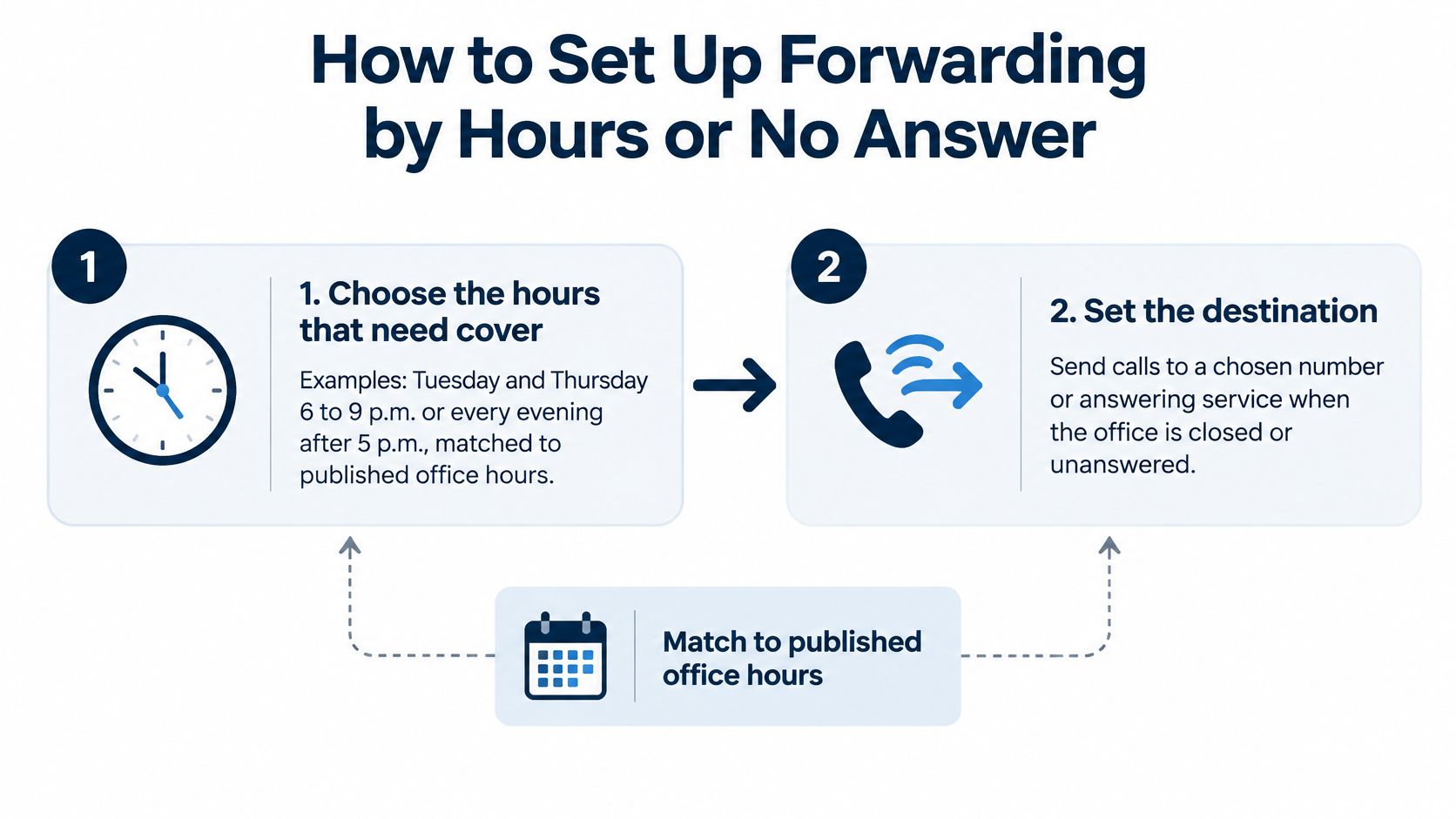
Keep the published number on every listing. Forward it only for the hours that need cover, or when nobody picks up.
-
Choose the hours that need cover. Match them to published office hours. Tuesday and Thursday 6 to 9 p.m., or every evening after 5 p.m., are typical windows for a small injury practice. The slip is a schedule copied from a template that ignores your actual close time, or a time zone set to the vendor’s office instead of yours.
-
Set the destination to a monitored line. Name the person who answers and name a backup. A phone in a drawer, or a line that goes to someone who left, is the usual failure. For solo and small firms, after-hours intake for solo law firms is worth reading before you pick that destination, because the backup person matters as much as the hours.
-
Turn forwarding on for those hours only. Leave the published number on the website, the listing, and the ads. The slip is swapping the public number for the overflow line “just for the test” and forgetting to switch it back.
-
Set no-answer forwarding after four or five rings if the carrier supports it. Daytime calls the team misses then reach the overflow line instead of a full voicemail box. If the carrier doesn’t offer no-answer forwarding, don’t pretend a busy-forward rule does the same job.
-
Place three test calls. One inside the forwarded window, one where you let it ring with no answer, and one outside the window to confirm the office greeting. Holidays are the common miss. A rule built for weeknights often stays off on a Monday the office is closed.
-
Record the time, destination, and tester in a routing log. Without that line, next month nobody can say what was supposed to happen.
-
Review after two weeks. Count missed calls, transfer delays, and caller complaints, then widen or narrow the hours. A pilot with no review date becomes permanent by accident.
From the caller’s side, a working setup is simple. The same number rings. The greeting names the firm. The callback arrives inside the window you promised, not “sometime tomorrow.”
Presenting Your Numbers Across Website, Listings and Intake
Treat the published number as a client-facing asset. Keep the number consistent across your website, Google Business Profile, directory listings, ads, intake forms, email signatures, and voicemail. If you change the number shown on Google, follow this guide to change your business phone number on Google. For other listings, keep directory contact details accurate by checking each one individually. Updating your website does not update every directory.
What the caller should hear
The greeting should name the firm and explain what happens next. If an automated agent answers, say that it collects details for the attorneys and does not provide legal advice. Make the limits clear: the service is not for emergencies, deadline-sensitive matters, statutes of limitation, filing deadlines, or decisions about accepting representation. Direct urgent callers to emergency services or a line answered by a person. Text messages are not a channel for legal advice or emergencies, and callers should not send confidential case details by text.
Fast intake and reliable records require different safeguards. Set a retention period and deletion procedure for recordings and transcripts, and review them before using them to decide whom to call back. Tell callers when recording or transcription applies. Treat transcripts as working notes, not verified factual records: accents, distress, background noise, and legal terms can lead to errors.
Test the caller’s experience from a mobile phone, a landline, and an unknown number. Check that the greeting names the firm and that each caller hears a clear next step. The published number is part of the firm’s public service. Its greeting and routing should match what the website and listings promise.
Triage Rules for Which Callers Get Answered
Set the rules before configuring how calls move. In Clio’s 2024 secret-shopper study, only 40% of firms answered an initial prospective-client call, and only 52% made contact even after callbacks, leaving 48% effectively unreachable by phone, according to this law firm client intake analysis. A published number is a client-facing asset: decide which calls it routes to a person, which it screens, and which it directs elsewhere. Answering every ring without a system creates a crowded callback list.
Use four criteria: matter type, urgency, jurisdiction, and caller status.
- New caller, recent injury, within the firm’s practice and geography: Screen the inquiry and give a specific callback window. Do not promise representation.
- Deadline, court notice, or detention: Route to a named attorney or a staffed emergency line. An intake script is not a substitute.
- Outside the firm’s practice areas or service area: Offer a polite referral rather than implying someone will assess the matter.
- Existing client or referral partner: Route to the appropriate direct line, not the new-matter queue.
Put the four routes on a one-page triage sheet used by both the answering system and staff. Update it when the firm changes its practice areas or service area. Call routing software for law firms can apply those rules, but the firm must decide the rules first.
For each intake figure, such as medical bills, lost wages, treatment dates, or insurance limits, record whether the caller reported it or documents verified it. A reported bill and an insurer-paid amount are different figures. Keep them distinct in the intake record.
If you can’t identify which of the four paths applies, don’t forward the call until the routing rule is clear.
Mistakes That Split Your Numbers and How to Fix Them
The first symptom is usually a caller who reaches a dead office number. The listing still shows a line you retired, or a campaign number that was never meant to be public. Separate numbers multiply that risk. Each extra number needs an owner, a destination, a listing check, and a test. Skip any one of those and the number keeps ringing somewhere you no longer watch.
| Symptom | Likely Cause | Fix |
|---|---|---|
| Callers reach a dead or old office number | Retired number still on listings | Update Google Business Profile, website and ads to one current number per office |
| Campaign calls arrive with no source | Campaign uses the main number | Assign a tracking number to each campaign and label it in intake |
| Forwarded calls ring an unmonitored phone | Destination changed when a staff member left | Record the destination owner and review it monthly |
| Callers hear a different firm name | Default greeting never updated | Match greeting to the firm description used in intake settings |
| Calls go unanswered after hours | Forwarding hours do not match office hours | Align the forwarding schedule with published office hours |
| Attribution totals drop after a port | Number moved without updating tracking | Test each number after any port and log the change |
A test-and-record routine
After any change, call every number. Log the result in a routing record that holds the number, the owner, the destination, the forwarding hours, the listings where it appears, and the date last tested. Review that record monthly and again after any port or contract change.
A stale destination fails without notice. Say after-hours calls forward to a cell that belonged to an associate who left in March. The greeting still names the firm, so callers leave details. Nobody checks that phone. By Friday the voicemail is full and the leads look like they never called. The listing was “correct.” The destination wasn’t.
If you can’t name the owner and the destination of a number, it shouldn’t appear on any listing, ad, or intake form.
Confirm Ownership and Test One Line This Month
Before you order anything, run the ownership checklist and name the reason for a change. Office, campaign, or pilot. If the answer is continuity, skip the new line. Set forwarding only for the hours that need cover, from the number clients already have.
If you do need a separate line, start with one window. Pick a single after-hours period, forward it from the published number, place five test calls, and review after two weeks. Don’t open a second campaign number in the same month. You won’t know which change caused the next complaint.
Lighthouse Legal offers a free trial where you can ask about the service or call the demo agent at +1 (681) 376-0380 and test the experience as a personal injury client. Treat that call as a test of routing and greeting, not a commitment to change your published number.
While you review what those test calls produced, it helps to turn more calls into customers by labeling source, answer, and callback on the same log, instead of judging the line by ring time alone.
Three items finish the month:
- Ownership written down: Subscriber, port authority, fees, forwarding access, and what happens when the contract ends.
- Routing log started: Number, owner, destination, hours, listings, and last test date.
- One test completed: Inside the window, on no answer, and outside the window.
Then put a quarterly review on the calendar for every number the firm publishes. A number without an owner and a last-test date is a listing waiting to go stale.
Lighthouse Legal answers personal injury calls with a customizable voice agent, screens them against your criteria, and transfers qualified callers to your team while you keep the published number. You can forward the line you already own, or test a forwarding number, without handing callers a new identity. Visit Lighthouse Legal to see how after-hours and overflow coverage fits the number your clients already dial.