AI answering for personal injury firms.
Lighthouse answers calls 24/7, asks the questions your firm cares about, and transfers high-priority calls directly to your team. Customize the intake to your process.
Choose who takes over
Tell us which cases you take and what your team needs to know before speaking with a caller. Lighthouse screens against those criteria and gathers the details you need to follow up.
Lighthouse is the AI answering service; the people who take transfers are at your firm. Choose those contacts and the hours they can answer. If you want an outside team of human receptionists to take over, include that requirement when comparing services. Your firm makes the case decisions.
Start with the hours where you need help: after closing, when staff are busy, or throughout the day. Our setup walkthrough shows how to choose intake questions and call-routing rules.
Test one complete handoff
Bring your current intake questions to the demo. Tell us when calls go unanswered and which ones you want to handle yourself. We’ll discuss where Lighthouse could help, including after-hours or overflow coverage.
Use the fictional Maya call from our voice AI buying guide: a rear-end crash, a broken wrist, an emergency-room visit and a request to speak with someone. She does not have her medical bill yet.
- Set the questions. Make the details your firm needs required, and leave the bill optional if it can wait. Check that an unknown answer stays unknown.
- Try both transfer paths. Have your chosen contact answer, then repeat while they do not pick up. Listen to what the caller hears in each case.
- Read the saved call. Check the injury, treatment, callback number and transfer result. Choose who will follow up when no one takes the call.
Our trial guide explains how to move from practice calls to selected hours on your existing number. Agree on the fallback before forwarding real callers.
See what staff receive
Calls are recorded, transcribed, and graded. Your team can review the captured details and see how the call was handled, rather than working from a name and callback number alone.
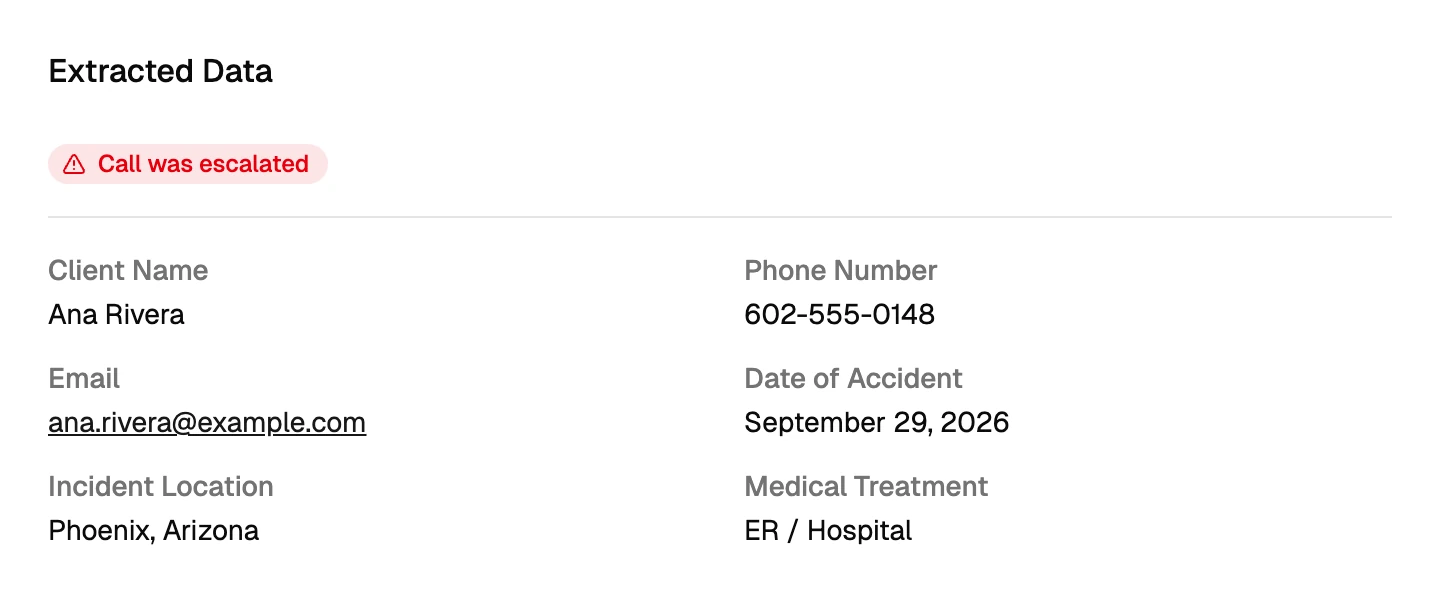
The dashboard walkthrough shows the full review process. If your firm uses Clio Manage, our Clio guide explains the contact and call note Lighthouse can save there. It does not create a matter or fill separate Clio custom fields; the full call record stays in Lighthouse.
See how Chandler Conway uses Lighthouse to collect intake details, and how GAMESQ connects callers whose cases fit its practice. Each story describes that firm’s experience.
Compare the full monthly cost
Lighthouse quotes a flat monthly rate based on call volume, with no per-minute charge. Bring a normal month and a busy month of call counts, the hours you need covered and your transfer requirements to the demo.
Use our answering-service cost guide to compare the same workload across per-call and per-minute plans. For a service with its own human reception team, see the Smith.ai comparison.
Compare the options: Lighthouse and traditional answering services