It’s 9.04 p.m. and you’re checking tomorrow’s calendar when a prospective client calls the number on your website. Nobody’s assigned to that hour, the call rings out, and the caller moves to the next firm on the search results page. Call routing software exists to prevent that gap.
How Call Routing Software Decides Where a Call Goes
Say that caller was hurt in a collision two hours earlier and dials your personal injury firm at 9 p.m. The phone rings in an empty office, rolls to a shared voicemail box, and sits there. By morning, the caller has already spoken to another firm. Nothing failed technically. Nobody had decided who owned a call at that hour.
Call routing software makes that decision in the seconds after a call arrives. Think of a hospital triage desk or a postal sorting centre. It reads a few signals on each item, applies rules you wrote in advance, and sends the item somewhere specific instead of to a general pile.
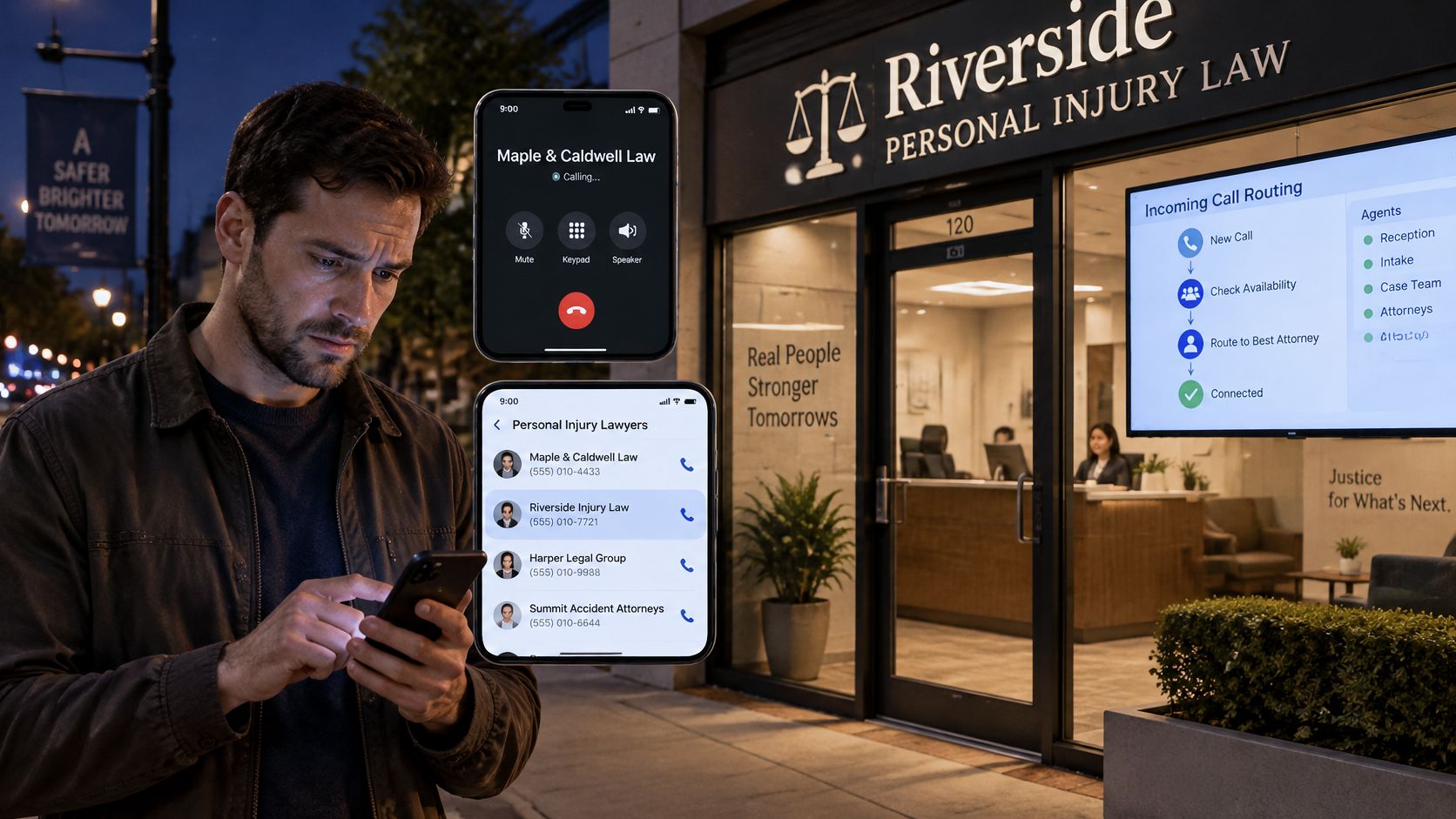
Signals the System Reads
- Number dialled and caller status: Which line was called, and whether the number matches an existing client.
- Time and calendar: Business hours, evenings, weekends and holidays each point somewhere different.
- Menu or intake answers: A pressed key or a spoken answer that identifies a new inquiry, an existing matter or an emergency.
- Matter type: The practice area the caller describes, such as a car accident or a wrongful death inquiry.
- Availability: Who’s on shift, who’s on the on-call roster, and who’s already on another call.
- Urgency flag: Whether the call meets the firm’s written definition of urgent.
Where the Call Can Land
The outputs are just as concrete. The system can transfer the caller to one named person, ring a group, hold the caller in a queue, take a structured message, or book an owned callback with a specific person responsible for making it.
Routing doesn’t end at the first ring. It also covers what happens when that person is busy, doesn’t answer, or lets the call reach voicemail. That’s where most firms lose callers, because they’ve configured the first destination and left every failure to chance.
Routing Features Compared and What Each One Solves
Start with what each feature does to a call, then match it to your firm’s shape.
| Feature | How it moves a call | Best fit | Trade-off |
|---|---|---|---|
| Ring group or round-robin | Rotates calls evenly across a set of staff | Several staff with the same skills | Ignores matter type and urgency |
| Skills or practice-area routing | Sends each call to staff trained for that matter | Firms with two or more practice areas | Needs accurate call tagging to work |
| Business-hours and holiday routing | Changes the destination by clock and calendar | Firms needing after-hours coverage | Holiday calendar must be kept current |
| Priority or urgency routing | Moves flagged calls ahead of the queue | Urgent deadlines and emergencies | Urgency must be defined with the firm first |
| IVR menu or intake questions | Screens the caller before transfer | Sorting new and existing clients | Long menus frustrate callers |
| Overflow and failover | Sends the call to a backup when the first destination is busy | Small teams with a single busy line | The backup must be tested before go-live |
| Warm transfer | Connects the caller after a staff member briefs the receiver | Escalations and high-value callers | Adds handling time for staff |
Why Priority Needs More Than Round-Robin
Round-robin is fair to staff and blind to callers. A multi-class call centre study found that policies combining each caller type’s longest waiting time with receiving-group idle time can improve service levels, reduce abandonment, and balance occupancy across agent groups, as reported in the Manufacturing and Service Operations Management study on multi-class routing.
Translate that into intake terms. Assign each call a priority class, such as urgent injury matter, qualified new lead, incomplete intake or non-qualifying inquiry. Then route on a weighted score that combines how long the call has waited, which staff member is eligible to take it, and how much capacity that person has idle right now.
A surge of routine calls shouldn’t be able to starve one urgent caller of a human.
That weighting is the difference. If you send every call to the next available person, a Monday morning rush of status checks can occupy every intake specialist while a newly injured caller waits behind them. A score that reads wait time and eligibility together protects the urgent caller without ignoring everyone else.
Don’t trust the score on instinct. Validate it against your historical arrival patterns before go-live, then watch first-answer time, abandonment rate by caller class, occupancy balance, and the share of qualified calls that reach an authorized human. Those four numbers tell you whether prioritization helps conversion or moves the delay onto another group.
Match Features to Firm Size
A solo attorney usually needs hours-based routing, one backup number and a callback rule. Buying skills-based distribution for a one-person practice adds configuration you’ll never maintain. A multi-attorney firm needs the opposite, because practice-area and priority rules are what stop the wrong attorney from taking the wrong call.
Check each feature against the phone system you already use, because providers limit which options are available on a given line. We can be set to answer all new-case calls, after hours, or when staff do not answer, depending on your phone provider’s options, so confirm those options before you design rules around them.
Routing Rules for a Firm With Several Attorneys
Route by new versus existing matter, practice area, coverage hours and the on-call roster. Those four variables handle most of what a multi-attorney firm receives. A published legal call-flow model separates calls by caller status, matter type, operating hours and urgency rather than sending everything to one queue, and that’s the structure I’d start from.
| Call type | Business hours | After hours | Rule basis |
|---|---|---|---|
| New inquiry in an accepted practice area | Intake specialist | Live intake, qualification, booking or owned callback | Matter type and coverage hours |
| Existing client | Assigned case team with file context | Message recorded for the next-business-day owner, with any deadline captured | Client status |
| Urgent deadline or emergency | Covering attorney, directly | Attorney on call, directly, with no voicemail fallback | Urgency and on-call roster |
Check each row against your own team before you configure anything. If a cell names a role you don’t have, the rule is fiction and the call will still land somewhere unplanned.
Two Rules That Most Often Go Wrong
First, urgent deadlines and emergencies skip ordinary intake entirely. They go to the covering attorney during business hours or the on-call attorney after hours, and they never fall back to voicemail. Voicemail is not a fallback for a caller facing a deadline tonight. It’s an abandonment with a beep at the end.
Second, the qualification step has to be defined in writing before any transfer is set. For remaining calls, our agent asks the firm’s questions and connects qualified callers to the team. That only works if the firm has said, in advance and in plain language, what counts as qualified. Which injuries, which locations, which time limits, which conflicts.
Practical rule: If your attorneys can’t agree on the qualification list in a meeting, the software can’t resolve it on a live call.
Splitting by Practice Area
Say a firm handles car accidents and wrongful death. Car accident inquiries go to one intake lead who knows the medical treatment questions cold. Wrongful death inquiries go to a different lead, because those calls need a slower pace and different screening. Both practice areas share one after-hours on-call roster, so nights stay simple even though days are split.
That split only holds if call tagging is accurate. If the intake questions don’t separate the two matter types early, callers get transferred twice and repeat a painful story to a second stranger.
Write the Decision List First
Write your rules as a numbered decision list on paper before touching any settings. Rule one, if the caller is an existing client, send to the assigned case team. Rule two, if the matter is urgent, send to the covering attorney. Keep going until every call type you receive has a destination.
Then replay last month’s calls against that list. Count how many calls each rule would have caught, and count how many match no rule at all. The unmatched group is where your next lost caller is sitting, and it’s much cheaper to find that out on paper than from a missed-call report.
Choosing a Primary Owner and Backup Before a Call Arrives
Every call type needs one primary owner and one named backup. Choose the owner by role and availability, not by whoever usually happens to pick up. A shared queue feels collaborative and produces diffusion of responsibility, because a call that belongs to everyone belongs to nobody when it goes unanswered.
Define urgency with the firm first, as a short tier list. Urgent injury matter, qualified new lead, incomplete intake and non-qualifying inquiry covers most personal injury traffic. Name an owner for each tier, and accept that the tiers are a firm decision. Software can apply them consistently, but it can’t decide which callers your attorneys value most.
A Worked Example With Named People
Consider Rivera Lane Injury Law, a fictional five-attorney firm. After-hours new-case calls used to land in a shared voicemail queue that three people checked irregularly. The firm changes one thing. Dana, the on-call intake lead, becomes the named owner for after-hours new-case calls. Marcus, a senior paralegal, is the named backup.
If Dana answers, she owns the intake and the follow-up. If she’s on another call, the call moves to Marcus instead of waiting. If neither answers, the fallback sequence runs and the attempt is logged against a named owner, so no caller reaches an unowned voicemail box.
Two things change immediately. Staff know whose call it is without asking around the next morning. Every missed call has a name attached, which makes the weekly review a conversation about coverage rather than an argument about whose job it was. Firms weighing whether live coverage is worth staffing at all can compare their options against how round-the-clock answering coverage is structured before committing people to a roster.
We transfer high-priority calls directly to the firm’s team, which means the owner you name for your top tier is the person who receives those callers. Choose someone who can make a decision on the call, not someone who will take a message for the person who can.
Answer These Before Go-Live
- Who answers in business hours: Name the person, not the department.
- When that person is busy, in court or absent: Name the backup for each of those three states.
- Who’s on call for urgent matters: Write how the roster is updated and who updates it.
- Which tier each caller type falls into: Test the tiers against last month’s calls.
How to Set Up Fallbacks When a Transfer Fails
A fallback isn’t a second phone number. It specifies what happens in each failed state, in order, with a time attached. A law firm missed-call workflow sets out acknowledgment within one minute, a callback within five minutes during business hours, another attempt at two hours, a personalized email by end of day, and a final scheduled attempt the next business day.
| Step | Timing | Action | Record |
|---|---|---|---|
| Acknowledge | Within 1 minute | Send the caller a confirmation that the firm received the call | Time of acknowledgment |
| First callback | Within 5 minutes during business hours | Call back from the named backup | Attempt and outcome |
| Second attempt | At 2 hours | Retry the callback | Attempt and outcome |
| Email follow-up | By end of day | Send a personalized email | Email sent and any reply |
| Final attempt | Next business day | Make a scheduled last call | Outcome, then aged-lead queue if unanswered |
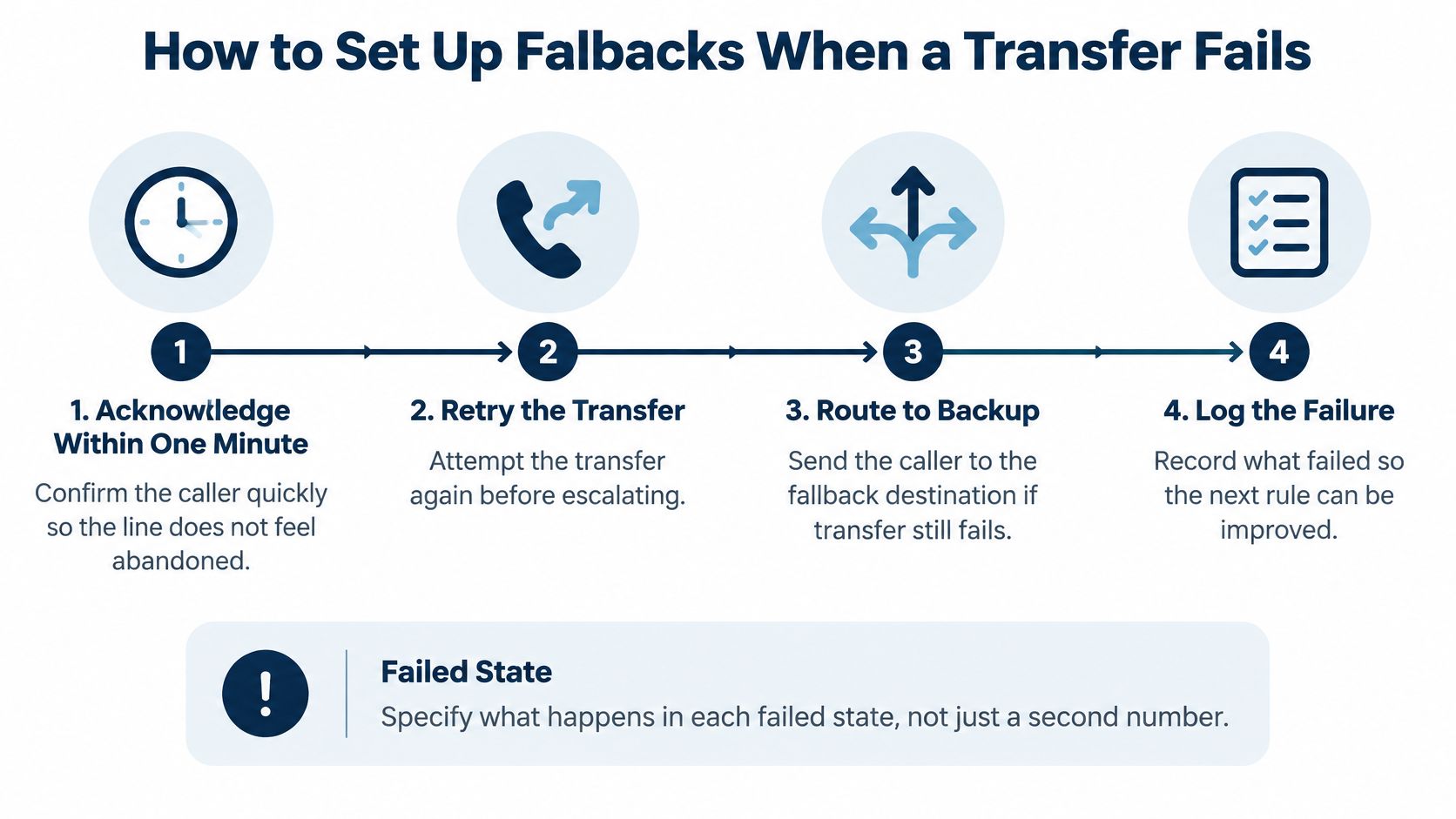
Record the outcome at every step, not just the final one. When a lead goes unanswered throughout the entire sequence, move it into an aged-lead queue with its own owner and review date. Leads that stop being attempted are indistinguishable from leads you rejected on purpose.
We can try to transfer a caller to a chosen contact, so treat that first destination as a deliberate choice rather than a default. Whether the handover should brief the receiver first or connect immediately is worth settling in advance, and the trade-offs are set out in our comparison of warm and cold transfers.
Test Every Failure Before Launch
- Busy: Call the first destination while it’s engaged and confirm the call moves to the named backup.
- No answer: Let it ring out and confirm the acknowledgment sends and the callback timer starts.
- Voicemail: Send a call to voicemail and confirm the message reaches the owner and the lead is logged.
- Urgent: Trigger an urgent call and confirm it reaches the on-call attorney directly.
Approve every callback promise as a firm before anyone records it. If your greeting says someone will call back within five minutes, a named person has to be able to do that at 4.55 p.m. on a Friday. Callers remember the promise, not your staffing constraints.
Every failure should produce three things. A named person, a logged attempt, and a next step.
If a failed transfer produces none of those, you don’t have a fallback. You have a hope.
Logs, Overrides and Metrics That Prove Routing Works
Ask the question a managing partner would ask. If a routing rule moves a caller down the list, can the firm see why? If the answer is no, you’re delegating intake judgment to a system nobody can audit.
Recent American Bar Association coverage of AI in client intake highlights confidentiality, security, bias and the risk that automated decisions may exclude or disadvantage clients, and the ABA’s 2024 Formal Opinion 512 warns that lawyers must supervise AI use and cannot delegate client-related judgment without adequate oversight.
That’s the right framing, because a routing rule can become a de facto legal-intake decision. A caller who gives incomplete answers, speaks English as a second language, communicates differently because of a disability, or describes an incident unclearly can be deprioritized by a rule that looks neutral on paper.
What the Audit Trail Must Show
- The exact rule: Which rule transferred, deferred or rejected this specific call.
- The transcript: What the caller said, in full, not a summary alone.
- The override: Whether staff can review the outcome and correct it, and who did.
- The human route: What happens when a caller asks for a person.
Ask about data controls with the same directness. Sensitive details should be minimized, encrypted, kept for a defined retention period, and accessible only to authorized staff. If you’re unsure about the recording side of that, check whether call recording is legal in your situation before you set retention rules. Run periodic error and bias reviews on the calls your rules deprioritized, since that’s where a systematic mistake hides.
We provide a recording, transcript and report for every call, and the firm owns its call data. Reviewing that material after a few weeks shows which answers your staff use to decide callbacks, which is usually a shorter list than the intake form suggests.
Metrics Worth Tracking Weekly
Track average answer time, abandonment rate by caller class, transfer completion rate, the share of qualified calls reaching an authorized human, and calls lost to failed call setup. Segment by caller class every time. A firm-wide average can look healthy while one class of caller is being abandoned.
Caller trust sits underneath all of it. FCC materials reported that as many as 57.2% of calls that could be signed by the originating provider reached the destination without authentication data in early 2025, so a legitimate callback can look suspicious while a spoofed call looks credible. Ask how caller-ID information survives transfers, which carriers and network types it’s been tested on, and whether unauthenticated calls are logged so staff can judge a callback before returning it.
Confirm Your Routing Plan Before You Choose a Provider
Bring your written rules to every vendor conversation and make the provider prove each one works. If you’re also comparing broader platforms, TopToolAdvisor’s call center software picks gives a useful view of how general tools differ from intake-specific routing.
- Rule dimensions: Can rules be set by caller status, matter type, hours and on-call roster?
- Ownership: Can you set a primary owner, a named backup and a failover sequence?
- Capacity: How much concurrent-call capacity do trunks and gateways allow at peak, and how is blocking measured end to end?
- Testing: Can busy, no-answer and voicemail cases be tested before go-live?
- Caller ID: Does the number stay recognizable after a transfer?
- Evidence: Does each routing decision produce a recorded reason, and who owns the call data?
- Pricing: How does cost change when you add attorneys?
Then run a real test instead of watching a slide deck. We offer a demo where you can bring your current phone menu and follow one call through before deciding which parts to keep. You can try example calls with made-up case details and review the transcript and report before deciding what to change. After a few calls, review which answers staff use and adjust your questions to help them decide who to call back.
Do one thing this week. Pick a single after-hours flow, set its owner and fallback, run the test calls, and decide after two weeks of results rather than after a sales call.
Lighthouse Legal answers personal injury calls around the clock, asks your firm’s intake questions, and transfers qualified and high-priority callers to the owner you’ve named, with a recording, transcript and report for every call. If your after-hours calls still land in a shared voicemail box, visit Lighthouse Legal to book a demo and follow one of your own example calls from ring to final outcome.