In a 2024 secret-shopper study of 500 U.S. law firms, only 40% answered the telephone, and once returned messages were counted just 52% answered or followed up, so 48% were effectively unreachable by phone, according to Clio’s client intake trends. Immediate answers fell from 56% in a comparable 2019 study, a drop of 16 percentage points, while the unreachable share rose from 27% to 48%. Those missed rings are not a branding problem. They are inquiries that never become files.
A virtual receptionist for law firms is intake infrastructure, not a nicer voicemail. It answers, asks the firm’s questions, keeps a record, and hands the file to a person. The harder questions start after the call ends. Who opened that record, when it is deleted, and whether a tight screen just turned away a viable case.
Why Missed Calls Cost Personal Injury Firms Cases
Personal injury callers don’t wait for office hours. They phone after a crash, in the evening, or on a weekend, often while they are still comparing lawyers. Say someone is sitting in a parking lot at 8:40 p.m. and dials four firms. The first three ring out to voicemail. The fourth picks up, takes a name and a short account of the crash, and books a morning call. That fourth firm is the one the caller remembers.
A virtual receptionist is a remote answering service, human-staffed or AI-driven, that picks up the firm’s line, asks the firm’s intake questions, records the call, and passes qualified callers to a person. It does not sign the case. It stops an unanswered ring from becoming a lost lead. The practical version of that gap is laid out in what happens when no one answers the phone.
An unanswered evening call is not a later callback problem. By morning the caller has often already spoken with another firm.
The work after that first answer is operational. Options differ by hours, intake depth, and the records they keep. Screening rules can shut out good cases if they are written too wide. A human still has to take urgent and uncertain calls. Recordings and transcripts need the same protection whether the caller is retained or turned away. Results need metrics beyond answered calls. A short test should come before any long commitment.
Pull last month’s call logs for after-hours and missed calls. Count how many went unanswered. That count is the baseline any option has to beat. Availability is measurable. It is not proof that every missed call would have become a signed case.
Virtual Receptionist vs In-House Staff and Answering Services
| Option | Hours covered | Intake depth | Call records kept |
|---|---|---|---|
| In-house receptionist | Staffed office hours only | Richest judgement when the person is trained and free | Notes or a message log, often incomplete |
| Human answering service | Nights and weekends, usually set hours | Usually takes a message, may follow a script | Message slip or ticket, transcript varies |
| AI virtual receptionist | 24 hours, every day | Asks the firm’s written intake questions every time | Recording, transcript and report, if the vendor provides them |
Read the table across the rows, not down one column. An in-house receptionist gives the best judgement and knows the firm’s people, but coverage stops when the office does. Lunch, sick days, and a stacked afternoon are holes, not exceptions.
A human answering service stretches coverage into nights and weekends, usually inside a contracted window. The caller often gets a message taken, then waits. Your staff still does the qualifying the next time someone is free. That buys reach. It does not buy a same-call decision.
An AI virtual receptionist stays up every hour, asks the same written questions on every call, and can transfer live or book a callback on rules you set. Consistency and volume are where it earns its place. It cannot weigh a borderline story or sit with a distressed caller the way an experienced intake person can. AI products in this category differ a lot, so the row describes the category, not one brand. Lighthouse Legal, built for personal injury intake, is one AI option worth scoring on those same four columns, including how virtual receptionist pricing is structured.
The setup that usually holds is AI on after-hours and overflow, with people on daytime high-priority calls. If your missed calls cluster in the evening, the hours column decides it. If volume is already high during the day, intake depth decides it.
How a Virtual Receptionist Handles Each Call
The call arrives after hours and the agent is the only intake person on duty. It has three working parts: a script, a list of accepted case types, and rules for who gets a live transfer. A phone menu can sit in front of that agent. If your firm still uses a menu, review how telephone auto attendants work so the handoff into the intake script is deliberate.
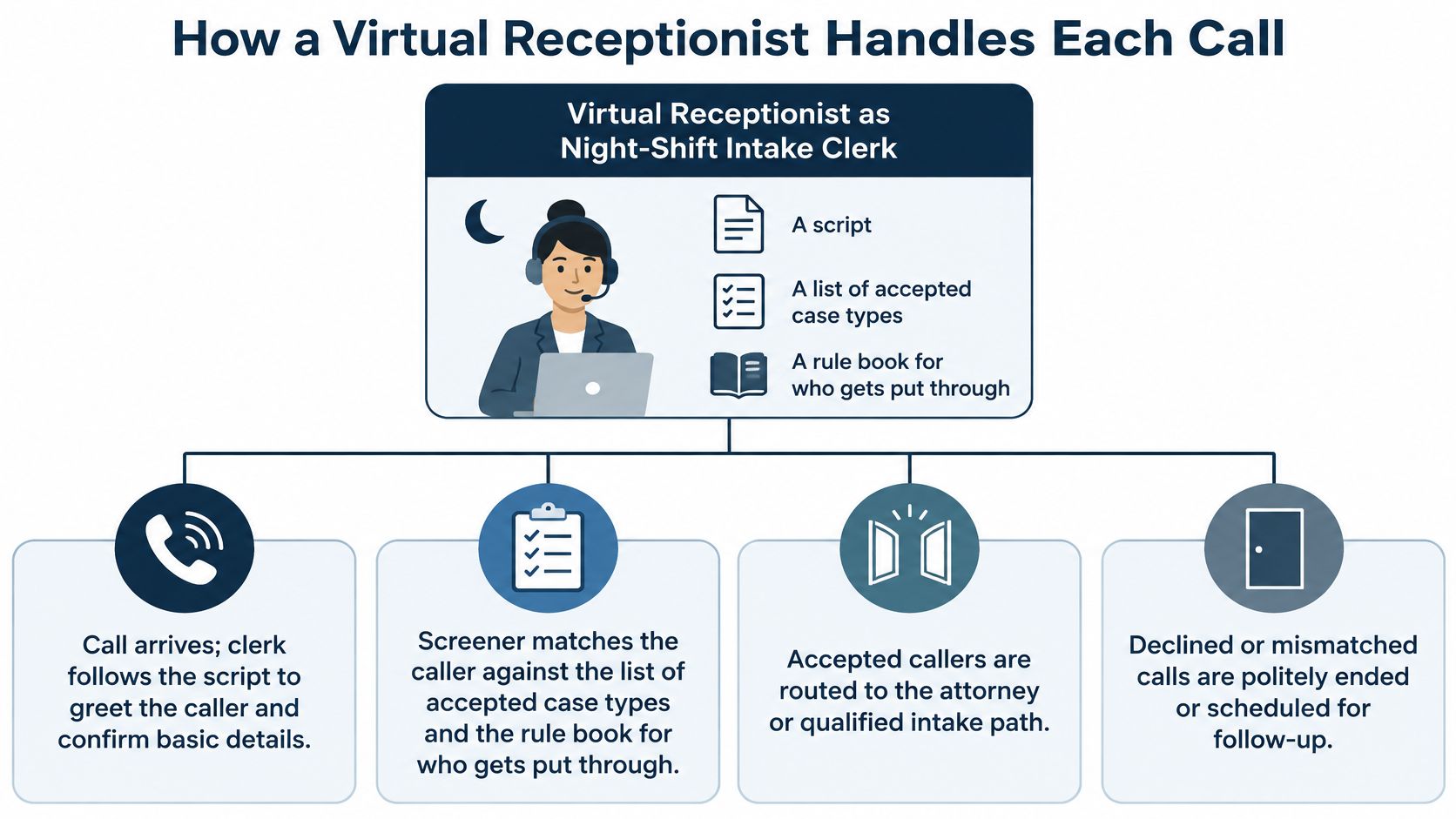
The sequence on one call
The caller hears the firm’s greeting. The system marks the call as new or existing, then asks only the questions the firm chose: name, phone, what happened, when it happened, whether a lawyer or insurer is involved, and where the incident occurred. The answers run against the screening criteria.
- Clearly qualified callers transfer live or book a callback.
- Borderline callers are logged with their answers and flagged for review.
- Clearly outside callers get a polite decline, with the reason written down.
That last category deserves a hard look. A clean decline log can hide cases that were never really outside the firm, so vague answers should route to a person for review. I would audit decline reasons before trusting a tidy dashboard. Every step belongs in the call record: recording, transcript, summary, timestamps, and the escalation rule that fired. Without those, the firm has a conversation it cannot audit.
Speed matters because the first contact sets the tone for follow-up. The American Bar Association’s account of a law-firm intake study covered about 17,000 inbound calls: fewer than 10% of callers reached a lawyer, and nearly one-third reached only voicemail. In more than 40% of cases, a return call or a response to an online intake form arrived three or more days later. That same discussion cited the 2007 MIT Lead Response Management Study, which found the odds of contacting a lead fall by 100 times when the first call is 30 minutes after an inquiry rather than within 5 minutes. Those findings are about lead response, not a promise that any receptionist signs cases. They are why first contact should capture facts now and put a person on urgent matters fast.
Before a vendor demo, write the firm’s own call flow on one page: greeting, questions, qualify, transfer, flag, decline, record. In the demo, match each stage to what the product does and ask where the call data goes after the call ends.
How to Set Screening Rules Without Rejecting Good Cases
A filter tuned only to keep staff busy will cut off representation. Write the rules so a vague answer waits for a person, and only a clear mismatch gets a decline.
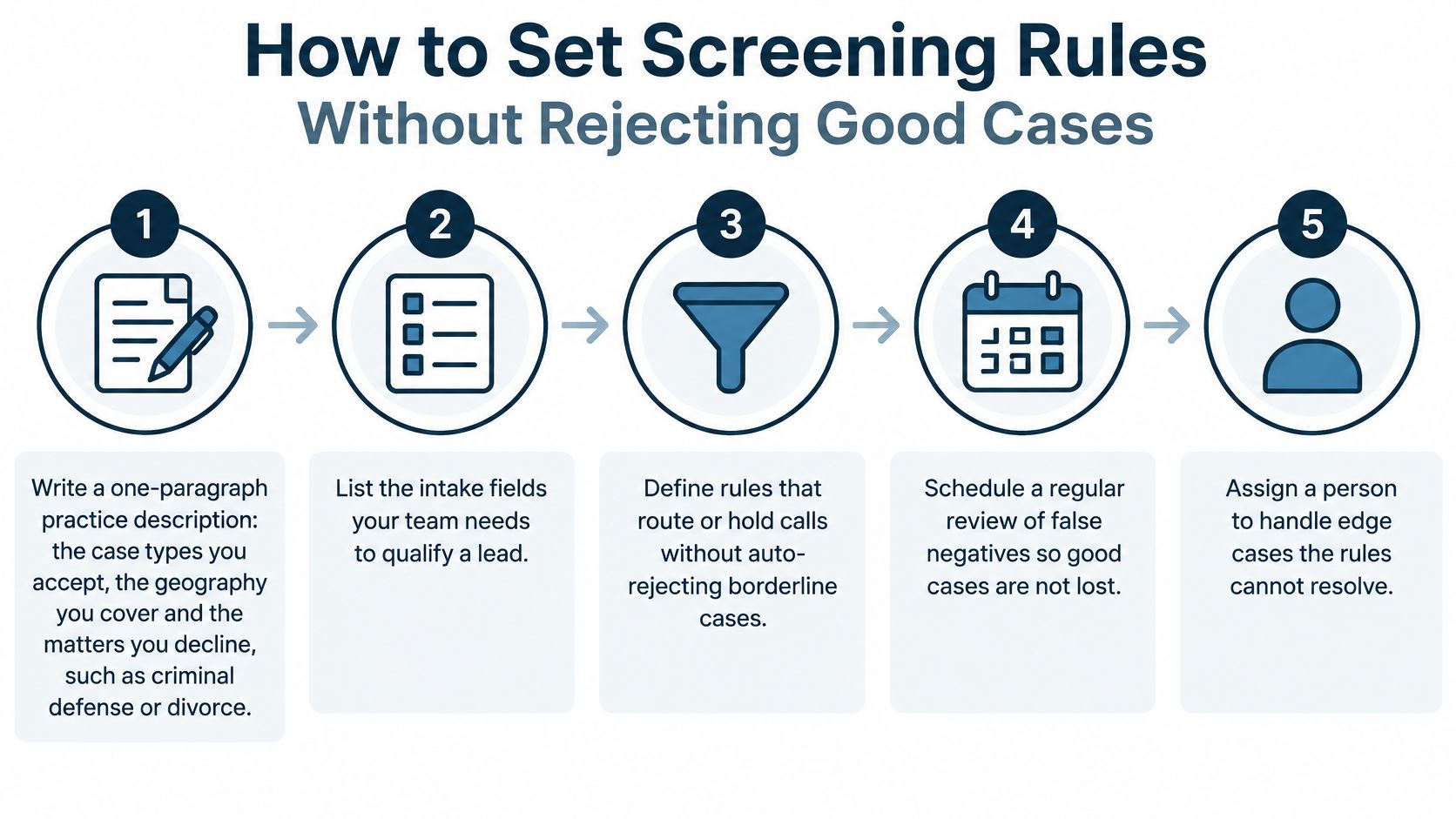
ABA Formal Opinion 506 says lawyers may delegate initial intake or use technology if they meet supervision duties under Model Rule 5.3 and prospective clients can still consult with lawyers. The steps below are how that duty shows up in a script.
- Write a one-paragraph practice description. Name the case types you accept, the geography you cover, and the matters you decline, such as criminal defense or divorce. A paragraph is harder to stretch than a slogan, and the agent should not improvise past it.
- List the intake fields a callback needs. Mark each required, optional, or unnecessary. A required field that the caller cannot answer on a noisy roadside will stall a good case for no reason.
- Write disqualifying rules narrowly. Decline only when the case type or location is clearly outside the firm, never because an answer is vague. A narrow decline protects access. A wide one hides lost cases inside a clean dashboard.
- Treat conflict screening as a preliminary filter, not a clearance. Names and entities get misheard or left out. Say in the workflow that the system does not clear conflicts. An attorney still has to.
- Prohibit legal conclusions, promises of representation, and merits calls. Those stay with an attorney. A polite agent that “sounds helpful” by predicting the claim is giving advice you did not authorize.
- Route anything uncertain to a human queue. Do not reject it. Uncertainty is a review task, not a no.
- Replay last month’s real calls against the rules. Count how many good matches the rules would have dropped. That count is your false-rejection check before the rules go live.
Test the voice, not just the logic
Run speech recognition against accents, background noise, code-switching, and callers who are upset. Sample transcripts for field-level accuracy. Compare extracted fields with a human-reviewed record and report precision, recall, false-transfer, and false-rejection separately. One overall accuracy number can hide a wrong name, a wrong date, a wrong jurisdiction, or the wrong opposing party.
Practical rule: If the only way a caller reaches a person is by already looking like a perfect case, the screen is too tight.
When a Call Goes to a Human
Handoffs are where the rule book meets a real person. Set the action before the phone rings, and name an owner for each row in the written procedure. For calls that are not in the urgent rows, the Lighthouse agent asks the firm’s questions and connects qualified callers to the team.
| Caller situation | Routing action | Who follows up |
|---|---|---|
| Urgent deadline or immediate injury concern | Transfer live to the attorney on call | Intake lead |
| Qualified match during office hours | Warm transfer to intake staff with a short summary | Intake staff |
| Qualified match after hours | Take full details and book a callback within one business day | Next-morning intake |
| Caller asks for a person | Transfer or offer a callback at once, without more screening | Any available staff |
| Borderline or unclear fit | Collect the facts, log them and flag for review, do not decline | Attorney |
| Clearly outside the firm’s practice areas | Polite decline script and reason logged | Reviewed weekly by intake manager |
Walk the rows by urgency
A same-day deadline, an active insurance fight, or an injury that needs care now goes live to the attorney on call. The intake lead owns the follow-up so the transfer is not a dead end if the attorney is in court.
A qualified caller during office hours gets a warm transfer. Staff hear a short summary before the caller is connected, so the person does not retell the crash from the start.
After hours, do not leave a qualified caller on hold for a desk that is empty. Take the full details and book a callback inside one business day. Put that promise in the script in plain words.
If the caller asks for a person, offer a transfer or a callback immediately. More screening questions after that request are a block, not intake.
Borderline calls are logged and flagged for an attorney. They are not declined. Outside matters get the decline script, the reason is stored, and the intake manager reviews those declines weekly so a bad rule does not sit unnoticed.
Check the procedure once: every row has a named owner, not “the team.”
Protecting Call Records and Client Data
Once the call ends, can you prove who opened each intake record, where it sits, when it was deleted, and what happened to a caller you rejected? That audit trail is the part of intake infrastructure most comparison pages ignore. A polite agent that never gives legal advice can still create exposure, because a name, crash facts, medical details and the other driver’s name are sensitive prospective-client records from the first minute.
ABA Model Rules 1.18 and 1.6 extend protection to information a prospective client supplies, not only to retained clients. ABA conference material on generative AI covers the confidentiality, security, data-sharing and breach questions that arise when a third-party AI tool touches a practice. Supervision stays with the firm. The product is intended to assist with administrative, operational, intake and scripted workflows that the firm designates and supervises. Recording rules vary by place, so confirm whether call recording is legal for your lines before you store audio.
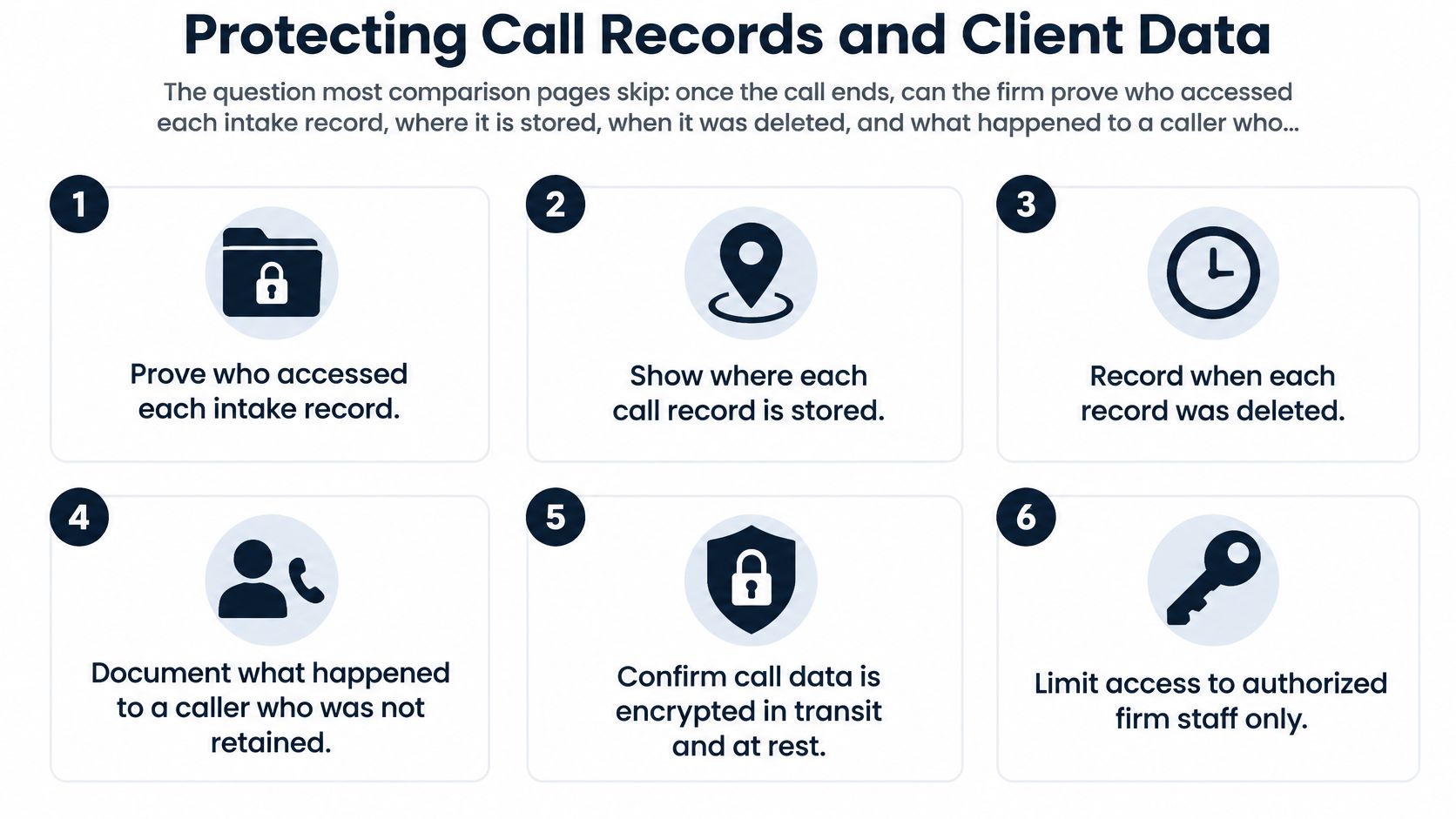
| Control | What to verify | Red flag |
|---|---|---|
| Encryption | Signaling and media encrypted in transit; recordings and transcripts encrypted at rest | Audio or transcripts stored or sent unencrypted |
| Role-based access and logs | Only named roles open a record, with immutable logs of each access | Shared logins or no record of who opened a file |
| Retention and deletion | Written retention schedule plus a deletion confirmation for signed and rejected callers alike | Data kept indefinitely or deletion that cannot be confirmed |
| Model-training isolation | Recordings, transcripts and prompts excluded from model training and from other customers’ data | Vendor may use the firm’s calls to train models |
| Subcontractors and location | Named subprocessors and where recordings and transcripts reside | Undisclosed subprocessors or an unknown data location |
| Breach notice | Contract states how and when the firm is notified of a breach | No breach-notification term at all |
| Ownership and export | Firm owns recordings, transcripts and summaries and can export them | Vendor claims ownership of the call data |
| Supervision | Lawyers supervise intake under Model Rule 5.3; Rules 1.18 and 1.6 cover prospective-client facts | Ethics and security review left entirely to the vendor |
Encryption in transit and at rest is the floor. Unencrypted audio is a reason to stop. Role-based access with an immutable log is how you answer “who opened this file.” A shared login cannot. Retention needs a written schedule and a deletion confirmation that covers rejected callers the same way it covers signed clients. If deletion cannot be shown, you do not have a schedule. You have a hope.
Model-training isolation matters even when the agent is polite. If the vendor may train on your calls or mix them with another customer’s data, walk away. Named subprocessors and a stated storage location are the same test. “Our cloud” is not a location. A contract with no breach-notice term leaves you learning about an incident from a client. Ownership means you can export the recording, transcript and summary. If the vendor claims the call data, the file is not yours.
Over-filtering leaves a data trail too. When a borderline caller is declined, the stored reason is what lets you spot the rule that cut off a viable case. A rejection log with no review is just a record of lost access.
Ask for the retention schedule and a sample deletion confirmation before you sign. A vendor who will not answer these controls in writing has already answered the buying decision.
Metrics That Show Whether Intake Is Working
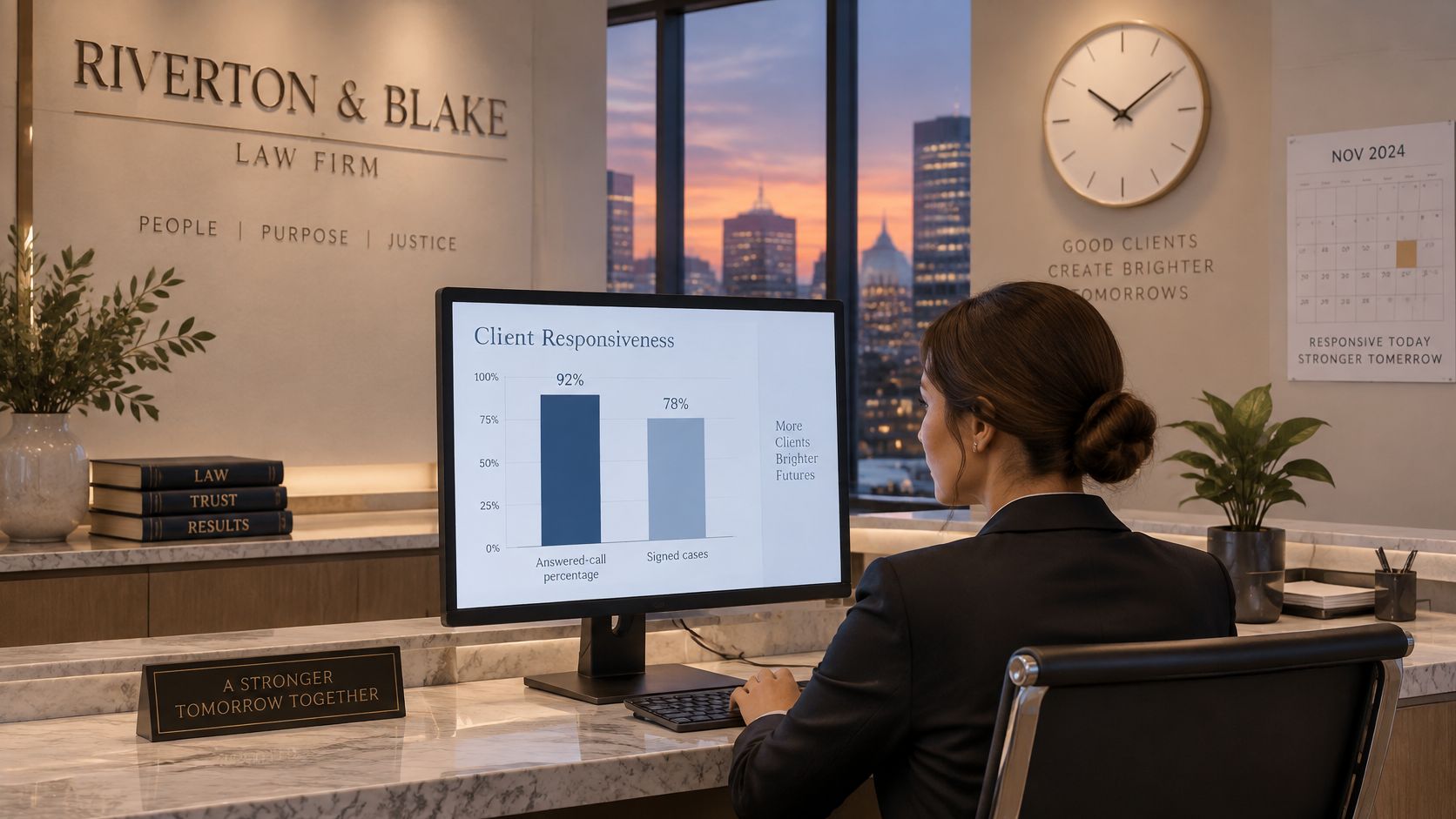
Answered-call rate and signed cases are what vendors like to show. They miss the failures that cost a plaintiff firm cases it never sees. A 2025 legal-consumer report found that more than one-third of people expect a same-day callback and 72% may move on if they get no response within 24 hours. Average time to attorney contact belongs on the dashboard for that reason.
| Metric | What it shows | Why it matters |
|---|---|---|
| Qualified-lead recall | Share of good cases the system kept | Catches over-filtering |
| Inappropriate-rejection rate | Viable callers rejected by screening | Shows lost access to representation |
| Human-transfer rate | Share of calls that reached a person | Tests the escalation rules |
| Average time to attorney contact | Hours from first call to a lawyer | Speed affects whether the caller stays |
| Completion rate by language or accessibility need | Intake finished by each caller group | Reveals uneven treatment |
| Random transcript audit | Field-level accuracy on sampled calls | Catches errors in names and dates |
What the extra metrics catch
Qualified-lead recall asks whether good cases stayed in the pipeline. Inappropriate-rejection rate asks how many viable callers the screen turned away. A rising answer rate next to a rising rejection rate is not a win. Human-transfer rate tells you whether escalation rules fire, or whether callers are stuck in the script. Completion rate by language or accessibility need shows whether an accent, a disability-related communication need, or a language the script handles poorly is dropping people out.
ABA guidance on supervising AI is direct here. Lawyers review what was collected, watch for biased outcomes, and do not let an automated decision exclude or disadvantage a client. A monthly review is simple. Pull a random sample of rejected calls. Have an attorney score a set of them against the written criteria. Log the result next to the metric, not in a side email.
Random transcript audits should check names, dates, jurisdictions, and opposing parties. Aggregate accuracy will look fine while those fields are wrong.
Filtering more irrelevant callers is not automatically better. Aggressive screening can free staff time and still reduce access to representation. Keep the system that rejects fewer viable matches while still saving staff from calls that are clearly outside the practice.
Run a Two-Week Test Before You Commit
A demo shows the happy path. Real calls show accents, incomplete stories, and the declines you would rather not see. Lighthouse offers a free trial where you can ask about the service or call the agent as a personal injury client. You can change which hours forward to the test line without moving the whole practice onto it.
- Call it yourself first. Ask about the firm and run a practice intake. Open the transcript and the summary the same day and mark every wrong field.
- Add outside callers over the next one to three days. Ask family, friends, or colleagues to complete intake. Use at least five people so you hear different accents and speaking styles.
- Forward only selected evenings or weekends for the rest of the trial. Leave the usual setup in place at other times. Compare test nights with your baseline of missed calls.
- Review recordings, transcripts, and transfer logs before the trial ends. Score them against the monthly metrics, and read at least a sample of rejected calls yourself.
- Decide only after the paperwork is in writing. Confirm the retention schedule, the deletion process, access controls, and that the firm owns its call data. Lighthouse provides a recording, transcript, and report for every call, and the firm owns that call data.
A free trial is useful because routing hours can change without risking the main daytime line. A positive trial is specific. The system answered more calls than your baseline, urgent calls reached a person quickly, and the sample of rejections contained no viable case.
Lighthouse Legal builds AI voice agents for personal injury firms that answer the line, collect the intake details you specify, and connect qualified callers with your team under rules you supervise. If evening and weekend calls are the gap in your logs, start with a short test of the call flow, the records, and the declines rather than a long pitch. Visit Lighthouse Legal to try the agent or book a walkthrough of your screening rules.