Your front desk is on another call, it’s after six, and a prospective client injured yesterday is dialing down a list of firms. She won’t leave a message and wait. She’ll call the next name. An AI answering service can stop that call from disappearing, but only if you treat it as a supervised intake system, with clear questions, measured accuracy, and a written plan for handing callers to a person.
What an AI Answering Service Does and Why Firms Use It
An AI answering service is an AI voice agent that answers your firm’s phone line, asks your own intake questions, screens each caller against your criteria, and passes qualified callers to a person. It doesn’t give legal advice or decide representation. Its value is narrower: continuous coverage, the same core questions on every call, and structured records your team can review without replaying audio first.
Say a driver named Jennifer is forced off the road in Omaha and calls four local firms after work. She reaches voicemail or no one each time, then gets help only on the fifth call. That’s the core problem in miniature. A prospective client who can’t reach anyone keeps dialing, and your firm may never know she tried.
How Common the Missed Call Problem Is
The numbers behind that scenario aren’t new. In the 2019 secret-shopper study of U.S. law firms reported by the North Carolina State Bar, only 56% of firms answered prospective clients’ calls personally, 39% of calls reached voicemail, and 57% of those voicemail messages were not returned within 72 hours, while 5% went entirely unanswered. That measures responsiveness in one market in 2019. It isn’t a conversion benchmark, and it doesn’t prove automation wins clients.
It does quantify a gap your team already feels. Before using our service, firms have described a pattern where two or three of four key answers were often missing from a new personal injury call, and that call could still take a staff member or attorney 15 to 20 minutes. You lose time and still lack complete information.
Call-Answering Options Compared
| Option | After-hours coverage | Screens against your criteria | Cost model | Main limitation |
|---|---|---|---|---|
| Voicemail | No live answer | No | Low, included with phone line | Callers reach nobody; many leave no message |
| In-house staff, office hours | No | Yes, if trained | Salaried payroll | Calls go unanswered when staff are busy or the office is closed |
| Traditional human answering service | Yes | Limited, script-based | Per-call or per-minute fees, varies by provider | Scripts can be rigid and vary between operators |
| AI answering service | Yes, 24/7 | Yes, against the firm’s own criteria | Usually a monthly rate, quoted by the vendor | Speech errors and response delay; needs a handoff plan |
We answer calls 24/7, screen to your criteria, and transfer qualified calls to your team, unlike office-hours in-house staff who don’t answer around the clock. The distinction matters. AI covers the hours and the questions. People still make the legal decisions.
How a Call Moves From First Ring to Callback
Follow one call through and the system is easier to judge. Each stage has a job, and each stage can fail in a predictable way if you don’t set it deliberately.
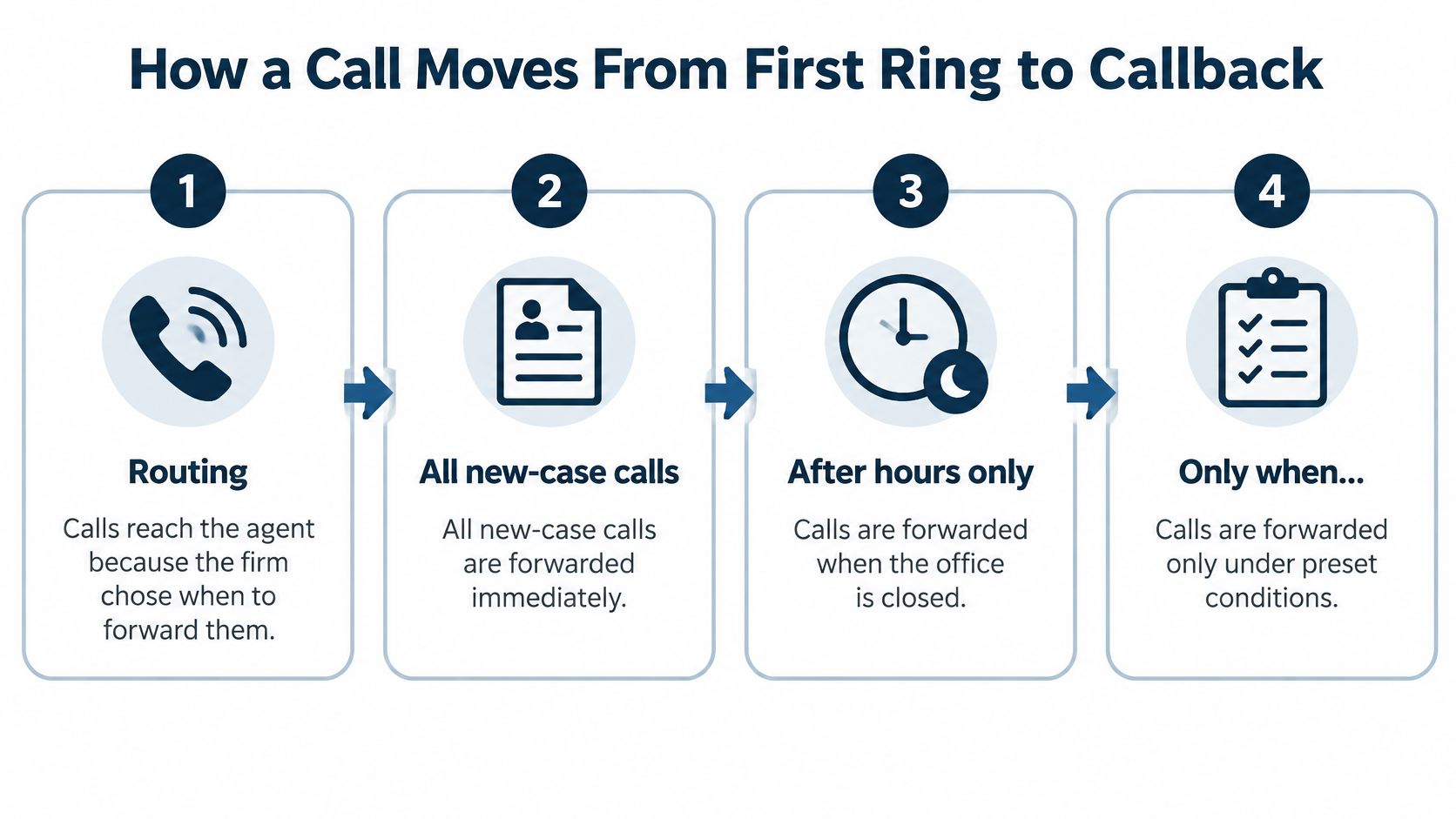
The Seven Stages
- Routing: Calls reach the agent because you chose when to forward them. We can be set to answer all new-case calls, after hours, or when staff don’t answer, depending on your phone provider’s options.
- Greeting: Our AI receptionist answers forwarded calls with your firm’s greeting and identifies itself as an automated assistant. The caller knows who she’s reached and what she’s talking to.
- Intake questions: The agent asks your questions in order and adapts follow-ups to what the caller describes. A rear-end crash and a fall in a store shouldn’t produce identical follow-ups.
- Screening: Answers are checked against the case types, geography, and exclusions you’ve set. Here, your written criteria do the work, not the model’s judgment.
- Routing decision: Qualified or urgent callers transfer to a person. For remaining calls, our agent asks your questions and connects qualified callers to your team, while other callers receive a documented outcome and a clear next step.
- Record: Every call produces a recording, a transcript, and a structured report. If a summary looks wrong, your team can check what was said.
- Morning review: Staff read the summary, verify the answers that matter, and return calls in priority order. The night’s work becomes a queue, not a pile of audio files.
Why Structured Fields Matter
A summary that lists name, callback number, incident type, date, and location in fixed positions lets staff scan a night’s calls in minutes. They don’t hunt through paragraphs for the phone number or guess whether the incident date was captured. Consistency is what makes review fast.
A structured summary doesn’t make a call accurate. It makes inaccuracies easier for a person to spot.
You’ll know the flow works when two things happen together. Callbacks occur inside your target window, and the required fields arrive complete. If either one slips, you have a routing or question problem to fix, not a staffing mystery.
Intake Questions That Decide Who Gets a Callback
Treat intake as a starting script that moves into case-specific questions, not a rigid checklist the agent recites regardless of answers. The core fields below give your team enough to triage a new injury inquiry, prioritize callbacks, and spot matters you can’t take. If you want a fuller question set to adapt, our guide to personal injury intake questions works as a drafting starting point.
Core Intake Fields for New Injury Inquiries
| Field | Why it matters | Typical setting |
|---|---|---|
| Client name | Identifies the caller and anchors the record | Required |
| Phone number | Callback number; without it the lead cannot be followed up | Required |
| Incident type | Separates crashes, falls and other matters for routing | Required |
| Incident date | Flags possible filing deadlines for attorney review | Required |
| Incident location | Determines where a case may be filed and whether the firm can take it | Required |
| Other attorney involved | Raises prior-counsel and conflict questions | Required |
| Injury and treatment | Shows whether the matter has medical damages to evaluate | Optional |
| Who may be at fault | Helps classify liability and set priority | Optional |
| Email and referral source | Supports follow-up and tracking of where leads come from | Optional |
The Fields That Change Routing Most Often
Client Name and Phone Number stay required in our intake, because a call without a callback number can’t be followed up at all. Other fields include Date of Accident, Incident Location, Medical Treatment, Email, and Referral Source, and you decide which are required, optional, or disabled.
Incident location deserves special attention. It determines where a case may be filed and whether your firm can take it, so treat it as a routing rule rather than background detail. A caller injured two states away may need a prompt, polite decline and a documented outcome, not a high-priority callback that wastes her time and yours.
Incident date works differently. The agent shouldn’t calculate deadlines or advise the caller about them. It captures the date so an attorney can flag possible filing issues during review. The same caution applies to prior counsel. Ask whether another attorney is already involved, record the answer plainly, and let your team handle the conflict and representation questions that follow.
Injury, treatment, and fault details help staff judge whether there’s a matter with damages to evaluate and how urgently to call back. They’re useful for priority, but they shouldn’t become a barrier. A caller who can’t yet describe treatment clearly may still deserve a human conversation.
Keep the list focused on what helps your team evaluate and call back. After a week, run a simple test. Check which fields staff used to make decisions, and remove the ones they ignored. Every extra question costs caller patience, so each field needs to earn its place.
Where AI Gets Calls Wrong and How to Catch It
A caller gives the agent her name, phone number, and accident date. The conversation sounds clear, but one digit or date may still be wrong in the record. Speech recognition varies with phone audio quality, accents, and unfamiliar legal or medical terms, so intake fields need checking rather than automatic trust.
Small errors have different consequences. A misspelled surname can complicate a conflict check. A wrong callback number can prevent follow-up, while an incorrect accident date may affect how urgently an attorney reviews the matter. The caller’s story can be captured accurately even when one important detail is not.
Speed Is an Accuracy Problem Too
A long pause can make a caller think the line has dropped. She may repeat an answer, speak over the agent, or hang up. Those reactions can create more opportunities for recognition errors.
Controls reduce risk, but they do not eliminate it:
- Confirm digits individually: Repeat phone numbers in groups and ask the caller to confirm them.
- Set confidence thresholds: If the system is uncertain about a critical field, ask a focused follow-up instead of accepting a guess.
- Acknowledge processing: Use a brief spoken cue while the system saves or retrieves information, rather than leaving unexplained silence.
- Allow corrections: Let callers correct an answer without restarting the entire question.
Freeform Company on automation risk tiers offers a useful way to consider how much oversight different tasks need. A referral source may be approximate; a callback number needs confirmation.
Measure Fields, Not Averages
Review a labeled sample of calls and score accuracy by field. For names, phone numbers, and incident dates, track incorrect entries, missed details, and how often callers need to correct the agent. Also track time to first audio, abandonment, and repeated questions to identify points where callers struggle.
Practical rule: Treat each transcript as a reviewable intake record, not as established legal facts.
An overall accuracy score can hide a recurring failure in one field. Compare results with your own callers, audio conditions, and script, then adjust questions or set a human review step where errors matter most. Define that handoff in writing: which answers require review, who reviews them, and what happens when the system cannot capture a reliable response.
Caller Trust, Disclosure and Recording Consent
Trust is an intake metric. If callers don’t believe they’ve reached your firm, they won’t share medical details, accident circumstances, or insurance information, and completion rates will show it. The context is difficult. Pew Research Center reported that 68% of U.S. adults receive scam phone calls at least weekly, and 68% believe increased AI use will make scams more common.
Your firm needs answers before launch. Should the agent identify itself as AI at the start? How can a caller verify your number independently? What happens if she asks for a human, refuses recording, or suspects fraud? If the agent can’t handle those moments plainly, cautious hang-ups are a rational response.
A Plain-Language Opening
Try language like this: “You’ve reached [Firm Name]. I’m an automated assistant answering for the firm, and this call is recorded so our team can review your information. I can take your details now, or I can arrange for a person to call you back. If you’d rather verify our number first, you can hang up and call the number listed on our website.”
That script takes seconds. It names the firm, discloses automation and recording, and offers a human path and independent verification. Disclosure won’t automatically raise or lower completion, so test transparent wording against completion, escalation, and abandonment rates rather than assuming either outcome.
Consent and Data Questions to Settle
Recording rules vary by jurisdiction, and some states require every party to consent. Our overview of whether call recording is legal can help you frame questions for counsel in your state. Settle consent, confidentiality, storage location, retention, training use, deletion rights, discovery exposure, and transcription accuracy in writing.
We provide a recording, transcript, and report for every call, and your firm owns its call data. Ownership only helps if you’ve written your retention policy before the first live call.
When a Caller Asks for an Attorney
Consider a fictional caller. She describes a crash at an intersection, answers two intake questions, then says, “I really need to talk to an attorney.” The agent shouldn’t persuade her to keep answering questions, and it must not attempt legal advice. This is a handoff, handled in order.
The Handoff, Step by Step
- Acknowledge the request. Confirm you’ll connect her to a person or arrange that contact. Don’t make her ask twice.
- State the limit. Make clear the agent can’t give legal advice. Our AI voice agent follows your criteria, never gives legal advice, and transfers to a person when asked.
- Capture the essentials. Collect her name, callback number, a short incident summary, and preferred contact details so the handoff doesn’t depend on a live transfer succeeding.
- Confirm the number. Read the callback number back digit by digit and ask her to confirm it. This is the field that rescues a failed transfer.
- Transfer or follow the plan. If a person is available, transfer now. If not, follow your written human handoff plan and state the callback window she’ll hear, then meet it.
- Log the reason. Record why the call escalated so staff see the request in context when they review the summary.
Setup can shorten the path further. If other numbers ring at the same time as our number, a person can answer before the agent does. That way, available staff get first chance at the call and the agent covers what they can’t reach.
There’s a legal reason for this care. A summary of ABA Model Rule 1.18 in an intake and speed-to-lead guide explains that someone who consults a lawyer about possibly forming a client-lawyer relationship is a prospective client, and information learned may create confidentiality and conflict obligations even if no representation follows. Teams reviewing how those duties apply to intake records may also find confidential communication guidance for legal teams useful background.
A good handoff protects both sides. The caller gets a person and a clear next step. Your firm gets an accurate record and avoids improvised advice from a system that was never meant to give it.
Who Is Responsible When Intake Goes Wrong
You are. An AI vendor can build controls, but your lawyers remain responsible for how intake treats prospective clients. A discussion of ABA Formal Opinion 512 in ABA Law Practice Magazine emphasizes that lawyers remain responsible for competence, confidentiality, communication, supervision, and advancing only meritorious claims when using generative AI.
Four Decisions to Document
Write down which questions the AI may ask and which decisions it may recommend. Then define when a human must review a call and how excluded callers are recorded. Our page on legal intake professionals is relevant here because these choices belong with the people who own intake quality, not with default software settings.
Without those decisions, an agent can easily turn a communication problem into a rejected lead. Test specifically for callers with accents, disabilities, limited English proficiency, or unusual fact patterns. If those callers abandon more often or get misclassified, your screening has a bias problem whether or not anyone intended it.
Safeguards With a Named Owner
- Human-review threshold: Any call where a critical field stays uncertain goes to a person.
- Random transcript audit: Check a fixed weekly sample against the recording. Calls we handle are recorded, transcribed, and graded, which gives your reviewer material to work from.
- Escalation rules: Attorney requests, recent injuries, and approaching deadlines always reach staff.
- Error correction: Log each misheard field, fix the record, and update the script when a pattern appears.
- Error reporting: Count false positives and false negatives on a regular schedule.
Preserve and review calls the system labels irrelevant. Judging the tool only by signed-case conversion rewards aggressive filtering and hides wrongful rejections. After a few calls, review which answers staff use and adjust your questions to help them decide who to call back.
What to Ask a Vendor Before You Sign
Get answers in writing, on the same list for every vendor. Demo impressions fade. Written answers let you compare systems on the controls your firm will live with.
- Pricing: Does the monthly rate cover call minutes, transcripts, and overflow volume? What exactly triggers extra charges?
- Phone integration: Does the agent work with your current provider’s forwarding options for after-hours only, overflow only, and all new-case calls?
- Case-management export: Which fields does the structured summary send to your intake system, and do they arrive in a fixed order every time?
- Accuracy evidence: Can the vendor show results on call types close to yours, reported at field level rather than as one aggregate score?
- Handoff controls: Can your team configure live transfer, simultaneous ringing, and the callback-window message without filing a support ticket?
- Exit terms: How do you export recordings and transcripts when you leave, and how quickly is your data deleted?
Security questions belong on the same list. Reading about shadow vendor risks in AI workflows can sharpen what you ask about subprocessors, data access, and tools your staff might connect without approval. Intake audio contains sensitive prospective-client information, so vague answers about who can access it should end the conversation.
Ask for a sample summary from a test call. Check that every required field appears in the same place and that uncertain fields are flagged rather than polished into confident prose. Keep the list short enough that your firm can score vendors and decide in one meeting.
Test an AI Answering Service Before You Commit
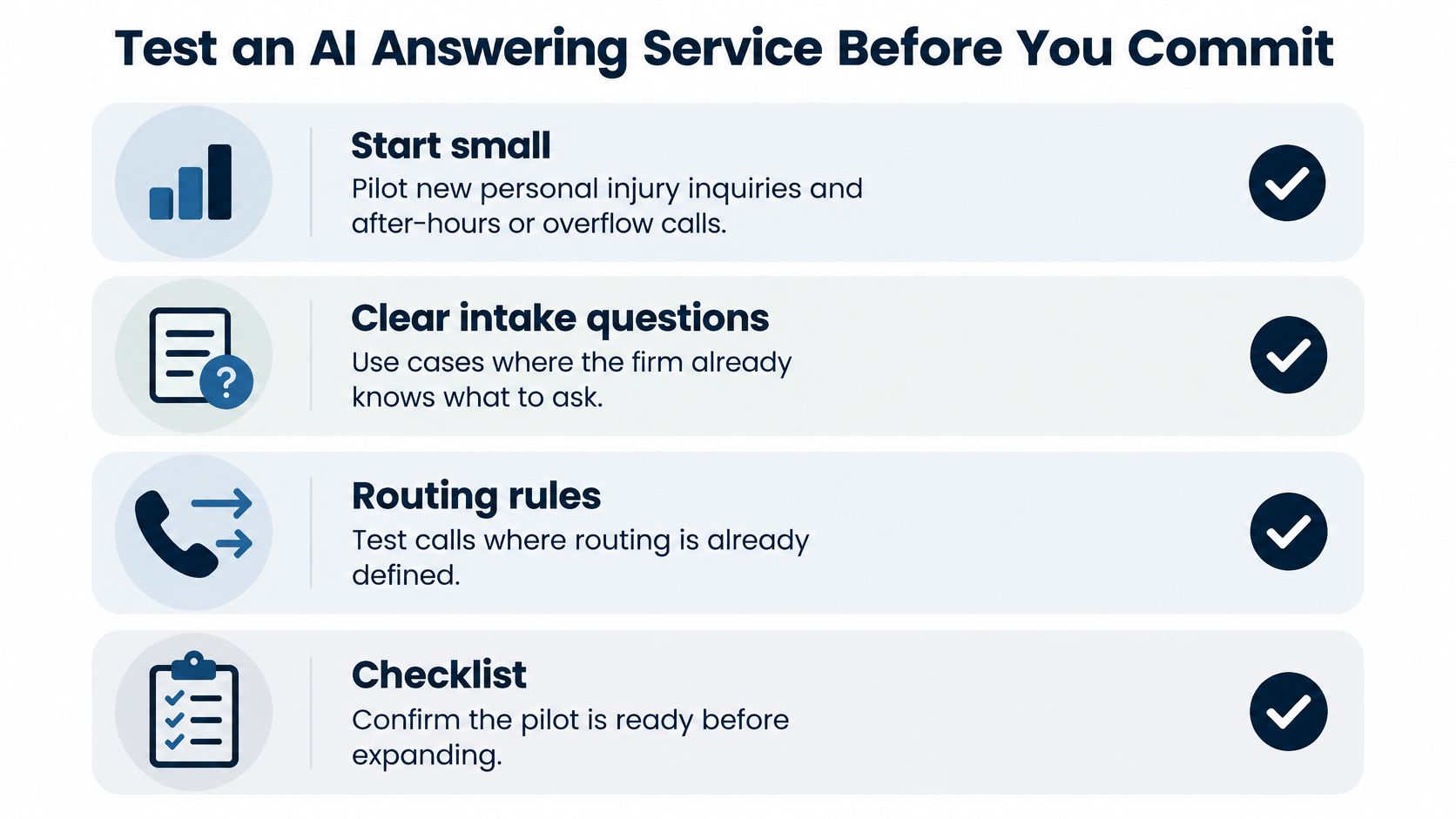
A clean demo can hide the failure that matters: a caller who sounds qualified, gives half the facts, and never reaches a person. Treat the pilot like an intake control system under supervision, with measured accuracy and a written handoff plan.
Start small. Pilot new personal injury inquiries and after-hours or overflow calls, where you already have clear intake questions and routing rules. Don’t begin with your messiest call types.
- Write your boundaries: List case types you accept, matters you decline, and geography and venues you can’t take.
- Set escalation triggers: Include an attorney request, a recent injury, and an approaching deadline.
- Name the owner: Decide who owns follow-up, which calls transfer live, and the callback window callers will hear.
- Test it yourselves: Bring your current intake questions, run example calls with made-up case details, then review the transcript and report after each one. You can call our demo agent at +1 (681) 376-0380 and test it as a personal injury client.
- Run a limited live trial: Use a fixed window, such as two evenings a week, and say exactly when Lighthouse answers: all new-case calls, after hours, or only when staff do not pick up.
- Compare against baseline: Measure callback times and field completeness against your current process, including whether Client Name and Phone Number are captured every time and whether Date of Accident, Incident Location, Medical Treatment, Email and Referral Source arrive usable.
Set a decision date to review two weeks of summaries. Let one measure decide the rollout: the share of qualified live calls that receive a callback inside your target window with every required field complete.
If you’re ready to test supervised, around-the-clock intake against your own criteria, visit Lighthouse Legal to try the demo agent with your current intake questions and review a real transcript and report. You’ll see exactly what your team would receive each morning, and you can judge the handoff, fields, and summary quality before a single live caller reaches it.