A virtual legal assistant is either a remote person doing varied supervised tasks or an AI telephone intake assistant running a defined call workflow, and neither one accepts your case or gives legal advice. That distinction matters on a Tuesday night when you’re finishing a demand, your front desk is gone, and a hurt driver is calling firms from a hospital parking lot.
She doesn’t need a legal opinion at 9 p.m. She needs someone to pick up, ask the right intake questions, and put a clean record in front of you before she calls the next firm on her list. Confusing answering a call with deciding a case is where most buying mistakes start.
Two Kinds of Virtual Legal Assistants
The same job title covers two different workers. A remote human assistant is a person your firm assigns tasks across the office. An AI telephone intake assistant runs one defined phone workflow and nothing else.
Think of a switchboard. One worker can leave the board, book a meeting, organize a file, and chase a signature. The other stays on a specific line, asks a fixed set of questions, and hands a note to the people who decide what happens next.
What Each Role Actually Covers
A remote human assistant typically handles varied administrative work your firm assigns under training and supervision. That can include scheduling, file organization, and follow-up that doesn’t require a lawyer’s judgment. What that person may do isn’t set by one universal license list. It depends on the jurisdiction, the person’s training, your supervision, and the specific task.
The AI role is narrower by design. It answers routed calls, collects the intake facts your firm configured, screens answers under your criteria, attempts configured transfers, and gives staff a record to review. It doesn’t conduct legal research, draft pleadings, file documents, manage every inbox, or provide independent legal advice.
| Role | Typical work | Does not do |
|---|---|---|
| Remote human virtual legal assistant | Varied admin the firm assigns under training and supervision, such as scheduling, file organization, and follow-up | Legal advice, unsupervised strategy, or any task the jurisdiction treats as practicing law |
| AI telephone intake assistant | Answers routed calls, collects the firm’s intake facts, screens under firm criteria, attempts configured transfers, and gives staff records to review | Legal research, drafting pleadings, filing documents, managing every inbox, independent legal advice, or final case acceptance |
Practical rule: Name the task first, then pick the worker. A phone coverage gap and a file backlog are different problems, even if both vendors use the same title.
How to Choose Between Them
Start with where your day breaks. If files pile up, calendars slip, and follow-up letters wait a week, you need human hands across several tasks. If calls roll to voicemail after hours and intake notes are thin, you need a defined answering workflow. Some firms eventually use both, with clear lanes for each.
If you’re weighing the human route, it helps to integrate remote support into your practice with written task boundaries and supervision, rather than handing over a login and hoping for the best. Cost and coverage comparisons only make sense after you’ve matched the worker to the job.
Why Unanswered Calls Still Lose Inquiries
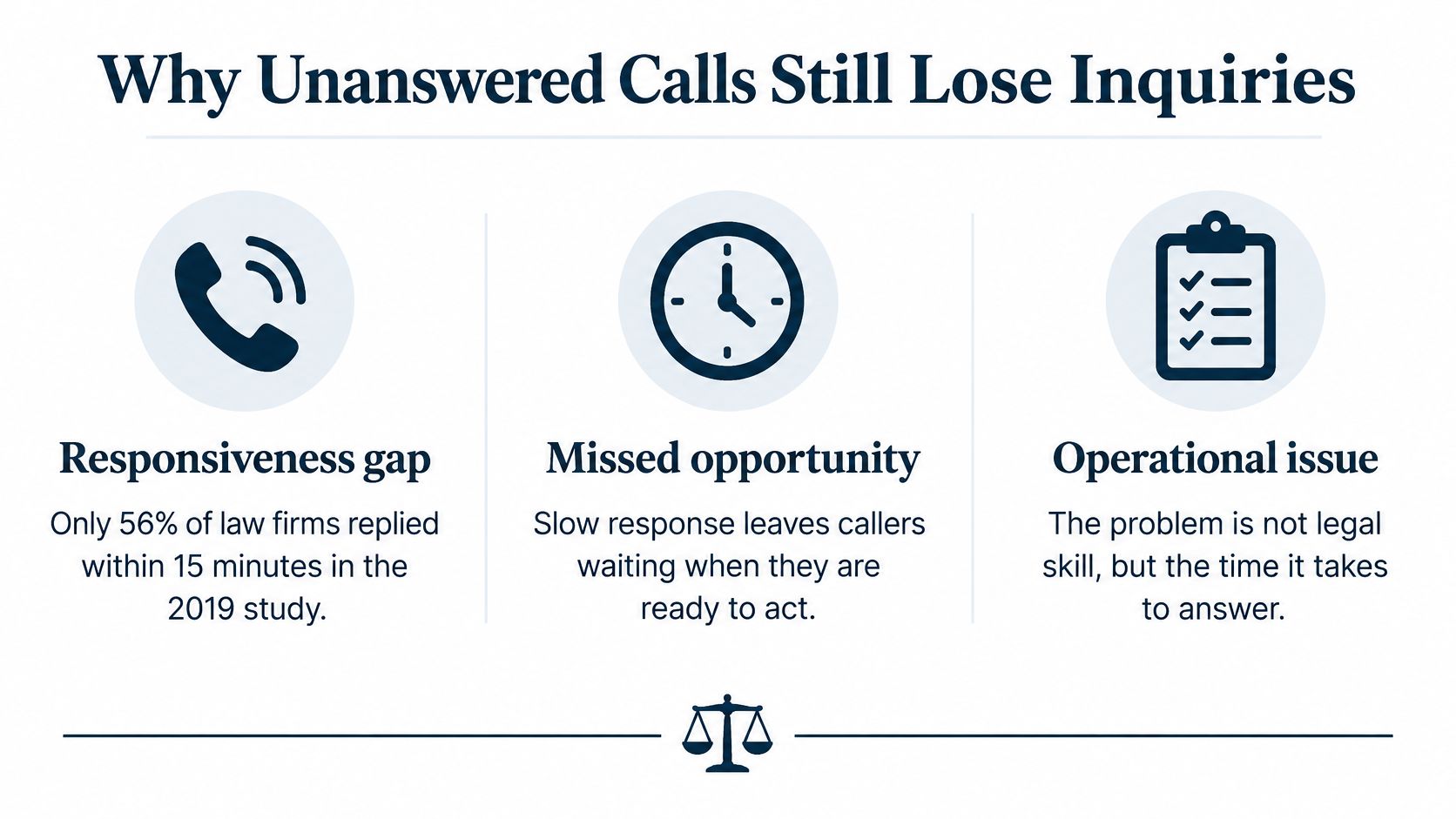
Only 56% of phone calls were answered by a person in a 2019 study of law-firm responsiveness, and later benchmarking put the live-answer rate at 40% in 2024. Those figures, reported in Clio’s Legal Trends Report announcement, describe an access problem, not a skill problem. Your legal work can’t help a caller who never reaches you.
What the Numbers Show
In that 2019 study, 39% of calls went to voicemail and more than half of firms failed to respond to voicemail messages within 72 hours. Meanwhile, 82% of prospective clients considered timeliness important and 79% expected a response within 24 hours. The gap between what callers expect and what firms deliver is where inquiries disappear.
| Measure | Figure | Source |
|---|---|---|
| Phone calls answered by a person | 56% | 2019 law-firm responsiveness study |
| Phone calls sent to voicemail | 39% | 2019 law-firm responsiveness study |
| Firms failing to respond to voicemail within 72 hours | More than half | 2019 law-firm responsiveness study |
| Prospective clients who considered timeliness important | 82% | 2019 law-firm responsiveness study |
| Prospective clients expecting a response within 24 hours | 79% | 2019 law-firm responsiveness study |
| Firms answering phone inquiries live | 40% in 2024 versus 56% in 2019 | Later benchmarking |
What the Numbers Don’t Prove
These figures don’t measure AI assistants, and they aren’t proof that any particular service increases signed cases. Treat them as a baseline. They show missed calls, delayed callbacks, and thin first-contact information.
For personal injury, that baseline bites hard. A caller with a fresh collision often phones several firms the same evening, while dates, treatment details, and insurance information are still easy to recall. Voicemail usually ends that firm’s chance to hear those facts firsthand.
Continuous answering, a standard set of intake questions, a priority flag, and a path to a person address the documented gap. What improved answering can support is a complete record for a human to review sooner. It cannot, by itself, promise a signed client.
Phone Tasks a Solo Attorney Can Hand Off
Treat the AI call as a scripted intake conversation, not a consultation. ABA Formal Opinion 512 states that lawyers using generative AI must understand the technology’s benefits and risks, protect information concerning current, former, and prospective clients, supervise AI-enabled agents, and independently assess AI outputs when professional judgment is required. The workflow below keeps you in that supervisory seat.
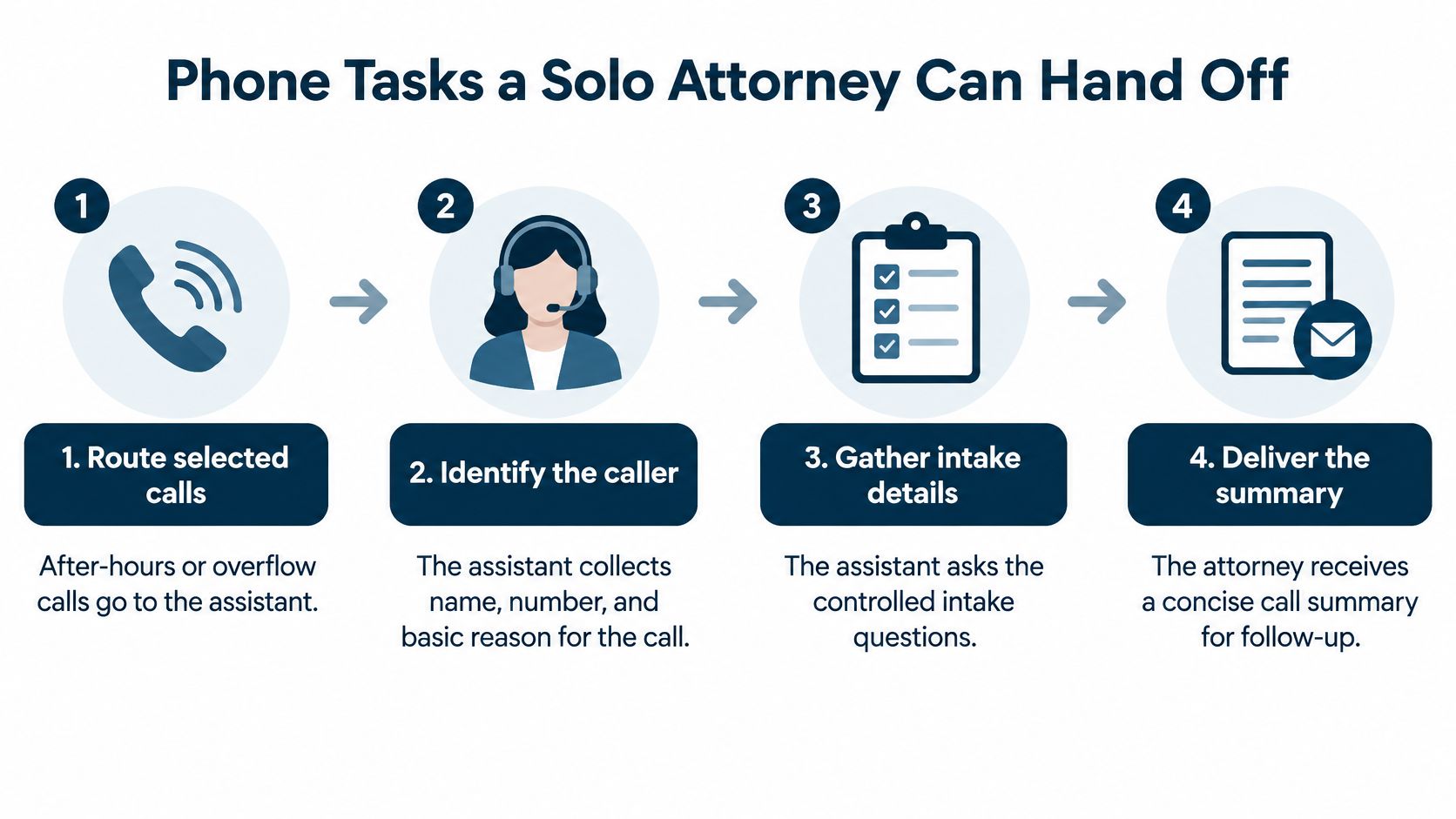
Say a caller phones at 9:40 p.m. after a highway collision. She is shaken, she has a police report number, and she cannot recall the exact date of the crash. The assistant works like a receptionist with a detailed script: it can carry that call a long way, and then it must stop.
The Five Steps From Ring to Review
- Route selected calls. Your firm sends after-hours, weekend, or overflow calls to the assistant. Daytime calls your staff can handle don’t have to move.
- Collect configured facts. The assistant identifies the caller and asks only the fields you turned on, such as incident date, location, injury type, medical treatment, insurance information, opposing-party details, and statute-of-limitations indicators.
- Screen against your criteria. Answers are checked against the criteria your firm sets, not against the assistant’s own judgment of the claim’s strength.
- Attempt a configured transfer. High-priority callers can be transferred directly to your team when you’ve set that path, and the assistant transfers whenever a caller asks for a person.
- Hand staff the record for review. Your team receives the recording, transcript, and report, and reviews them before any follow-up goes out.
Answering a call and deciding a case are two different jobs. The assistant must not evaluate the claim, promise representation, or advise on a deadline. It gathers and organizes. Your staff confirm material facts before follow-up, and you decide what the facts mean.
That is the useful split across the whole arrangement: the assistant gathers facts, your staff reviews them, and the attorney decides the case.
Where the Workflow Breaks
Test the messy calls, not just the clean ones. Background noise, accents, emotionally distressed callers, and ambiguous dates can each change a qualification outcome. The 9:40 p.m. caller who says “last spring” instead of a date can produce a wrong field if nobody checks the transcript against the audio.
Don’t judge the system by answer rate alone. A call that’s answered fast but recorded wrong creates more work than it saves.
Measure field-level extraction accuracy, false-negative escalation rate, transfer success rate, and time from qualified call to human contact. The false negative deserves special attention. That’s the viable matter the screening screened out, and you’ll only find it by sampling rejected calls on a schedule.
Confidentiality Controls Before Calls Go Live
Hiring a vendor doesn’t end your confidentiality duties. Prospective-client facts can trigger obligations before anyone signs an engagement letter, so settle six controls in writing before the first caller reaches the assistant. ABA guidance says lawyers should know how client information is used and safeguard against unauthorized disclosure, and informed consent may be required before confidential information is submitted to a generative AI tool.
The Six Controls to Settle First
- Recording and storage: Confirm call audio is encrypted and record where audio files and transcripts are kept. If you’re unsure about the recording rules that apply to your calls, review whether call recording is legal before you configure anything.
- Retention and deletion: Set how long recordings, transcripts, and extracted fields are kept, and document the deletion procedure.
- Model use: Confirm in writing whether recordings are used to train models or improve products. Restrict that use if your firm doesn’t agree to it.
- Access: List who can open a recording, who sees extracted fields, and how access is logged. Limit access by role, not by convenience.
- Edge events: Decide how accidental disclosures, wrong-number calls, multilingual misunderstandings, and conflict-of-interest information are handled, and who gets told.
- Incident response: Agree on who the vendor notifies, how quickly, and what your firm does next.
Put It in the Contract and the Configuration
A policy in a drawer doesn’t protect a transcript. The vendor contract should specify data ownership, retention periods, access controls, encryption, incident response, model-training restrictions, and deletion procedures. The live configuration should match, field by field, so the assistant only collects what your intake needs.
Audit the arrangement on a schedule. Review who still has access after staff changes, check that old recordings were deleted when promised, and confirm the escalation path for a wrong-number caller who shared sensitive facts. For a solo or small firm without dedicated compliance staff, that short recurring check is the governance. Skipping it turns a useful tool into an unmanaged exposure.
Decisions and Lawyer Access Stay With the Firm
Legal advice, final case acceptance, legal strategy, and conflict checks belong with your firm’s appropriately authorized people. That’s the line, and it doesn’t move because the assistant sounded confident on a call.
The ABA commentary to Model Rule 5.5 says lawyers may employ paraprofessionals and delegate functions only when they supervise the work and remain responsible for it. It also explains that the definition of legal practice differs across jurisdictions. There’s no universal licensing checklist. A remote human assistant’s permitted duties depend on the jurisdiction, the person’s training, the firm’s supervision, and the particular task.
The Only Duty Split You Need
| Step | Who | What happens |
|---|---|---|
| Gather | AI telephone intake assistant | Collects the configured caller facts and applies the firm’s screening rules |
| Review and follow up | Trained staff | Confirm important facts, listen to the record, and take the next operational step |
| Decide | Appropriately authorized lawyers | Accept or decline the matter, set strategy, and give any legal advice |
Product records are working aids only. A transcript and report don’t constitute legal advice, a legal opinion, factual findings, or a case decision. If a caller says the collision was “about two years ago,” the extracted field is a starting point for your review, not a deadline determination. Staff who handle that review are doing skilled work, and understanding what legal intake professionals do helps you staff the middle row of that table properly.
Answered Is Not the Same as a Lawyer on the Line
Always-on answering is not guaranteed immediate access to a lawyer. An answered line at 9 p.m. can collect facts, screen them under your rules, and still leave the lawyer for the next professional step. Callers deserve honesty about that sequence, and your scripts should say so plainly.
A transfer happens when you’ve configured that path or the caller asks for a person, and someone must be available to take it. If nobody’s on duty, the value of the call is the record waiting for review in the morning. That’s still far better than voicemail, but it isn’t a consultation.
Buy always-on coverage only with a plan for a human response. Coverage without follow-up just creates a more detailed backlog.
Set the follow-up expectation before launch. Decide who reviews overnight records, in what order, and by what time. Decide which flags wake someone up and which wait for business hours. Write it down where your intake staff will see it, not in a proposal you’ll never reopen.
How Chandler Conway Split the Hours
One evening, a woman looking for a lawyer tried four other firms before calling Chandler Conway, and Lighthouse answered the firm’s after-hours line. You can read the firm’s account in the Chandler Conway case study.
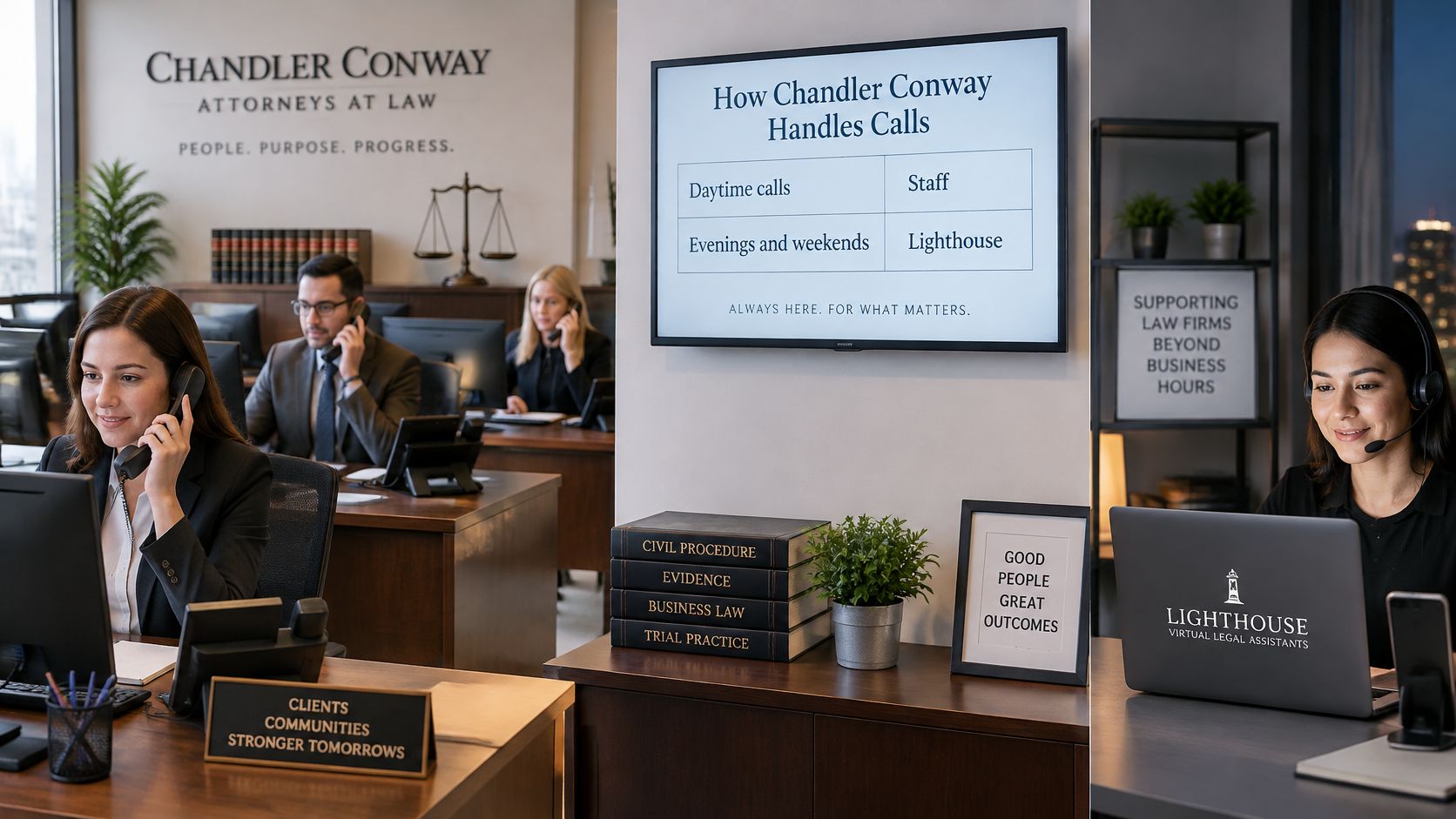
What that call documents is narrower than a staffing plan: an after-hours line got answered. Whether a firm also routes daytime overflow to the agent, and how many calls its staff keep taking, is a decision each practice makes for itself. The agent’s job is the same in any of those hours. It collects the intake facts the firm configured, screens callers against the firm’s criteria, and connects qualified callers to the team.
A Hypothetical Evening Call
Say a caller reaches the after-hours line at 8:40 p.m. She explains what happened, answers the intake questions the firm set up, and is told the firm will follow up. The attorneys start the next morning with her account already recorded, instead of a voicemail that says only “please call me back.”
Watch who does what in that sequence. The agent gathered the facts and gave no legal advice; that was never its job. A person at the firm reviews the record, which is a working aid rather than a factual finding, and a lawyer decides whether to take the case. Gathering, reviewing, and deciding are three different tasks, and the agent covers only the first.
Answering a call and reviewing it later are also separate functions, and the difference between AI answering and call monitoring is worth understanding before you buy either one.
The short video below walks through how that kind of split sounds from the caller’s side.
The split that matters goes past which hours get covered. One worker gathers the facts on the phone, a person reviews the record, and a lawyer decides the case. That order holds whether the voice on the line is a remote hire or an AI agent.
Choose the Hours Your Firm Will Cover
Before adding any assistant, write down three choices. First, which hours your front desk already answers. Second, which calls may be routed when staff can’t pick up, including evenings, weekends, and overflow. Third, which facts must be on the record before anyone calls back.
Match the Tool to the Gap You Wrote Down
If your gap is legal research or drafting, an AI phone workflow won’t close it. If your gap is after-hours personal injury intake, that’s the narrow job these agents are built for, and it’s worth understanding how they compare with 24-hour call centers before you decide.
We build AI voice agents that answer law firms’ calls, collect the firm’s intake facts, screen new inquiries under the firm’s criteria, and attempt transfers to an attorney or staff member. Our agent never gives legal advice and transfers to a person when asked. We offer a free trial, so you can ask about Lighthouse or test calling the agent as a personal injury client and hear exactly what your callers would hear.
Keep the First Step Narrow
Your existing number stays in place. Selected hours go to the agent. Staff still confirm facts and decide the case. Review the first records closely, adjust your screening criteria, and expand hours only if the records earn it.
The decision isn’t whether a robot should practice law. It’s which hours need an answer, which facts the record must hold, and who on your team still accepts the matter. Answer those three questions in writing and the vendor conversation gets much shorter.
If your written answers point to evenings, weekends, or overflow calls going unanswered, Lighthouse Legal can cover those hours with an AI voice agent that collects your intake facts, screens under your criteria, and attempts transfers while your staff keep every case decision. Start with a free trial, test call the agent as a personal injury client, and review the record it produces before you route a single real caller. Visit Lighthouse Legal to set up your trial.